

Setting the computer name
DeployR automatically generates a computer name. To use your own naming standard, set the COMPUTERNAME variable before the Apply OS step in WinPE, or use the Rename-Computer function in the full OS.
Windows PE: The temporary computer name begins with OSD.
Apply OS: If COMPUTERNAME is not set before the Apply OS step, the default Defaults.json template is used: PC-%RAND:10%. Setting COMPUTERNAME before this step overrides the default. Windows computer names are limited to 15 characters.
Using PowerShell:
See the Set Computer Name with Script example. It sets the task sequence variable to the name you want to assign to the computer.
${TSEnv:ComputerName} = 'CUSTOMNAME' # 15 characters or fewerUsing Set variable step
You can also use a Set variable step to assign the computer name. In this example, the computer is named DC, which would not normally be recommended. However, this task sequence creates the lab's domain controller, so the name is appropriate here. In general, using a fixed value in a Set variable step is not recommended because the same name would be assigned every time. A script can instead generate a name based on the serial number, asset tag, or other device-specific information.
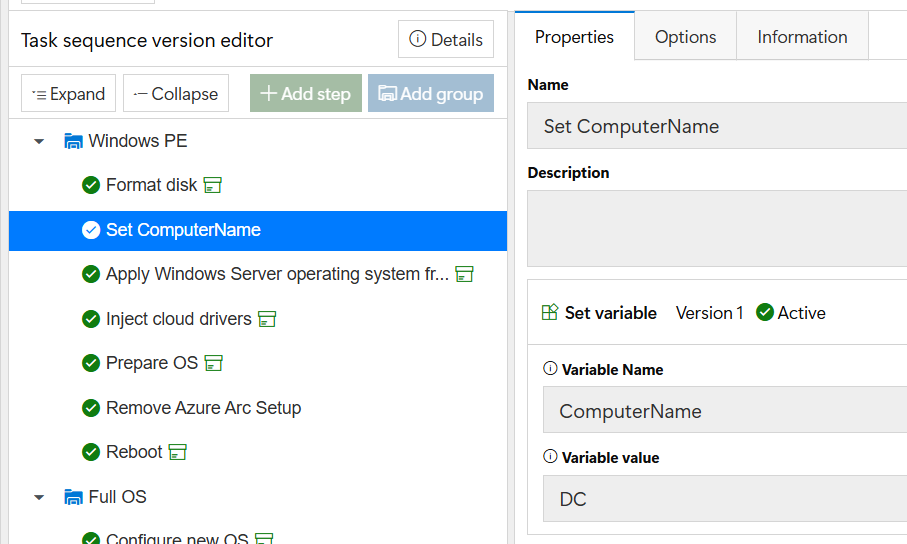
Notice that the variable is set before the "Apply Windows..." step, so that the task sequence uses the variable in the unattend file.
PowerShell Function Rename-Computer in Full OS
Use the built-in PowerShell Rename-Computer cmdlet after the device has booted into the full OS. This is useful for Hyper-V lab machines, where the VM name can be retrieved and assigned as the computer name. See the example below.
Offline Domain Join
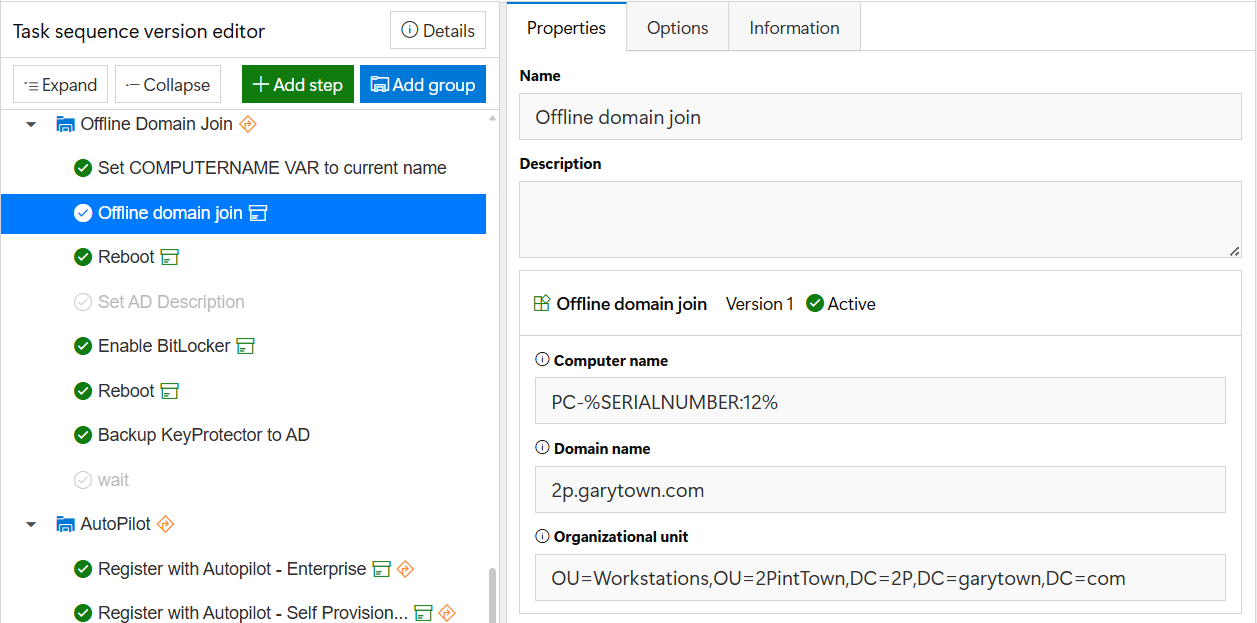
If you are using offline domain join, make sure you set the COMPUTERNAME variable before the Offline Domain Join step; otherwise, it defaults to the naming pattern set in that step, which is the serial number. If you have pre-set the COMPUTERNAME variable, the Offline domain join step will honor that variable and not change it to the %SERIALNUMBER% variable. Note that a serial number longer than 15 characters breaks the process, so use something like PC-%SERIALNUMBER:12%, which sets a prefix of PC- followed by the first 12 characters of the serial number.
Last updated