

Set Windows settings
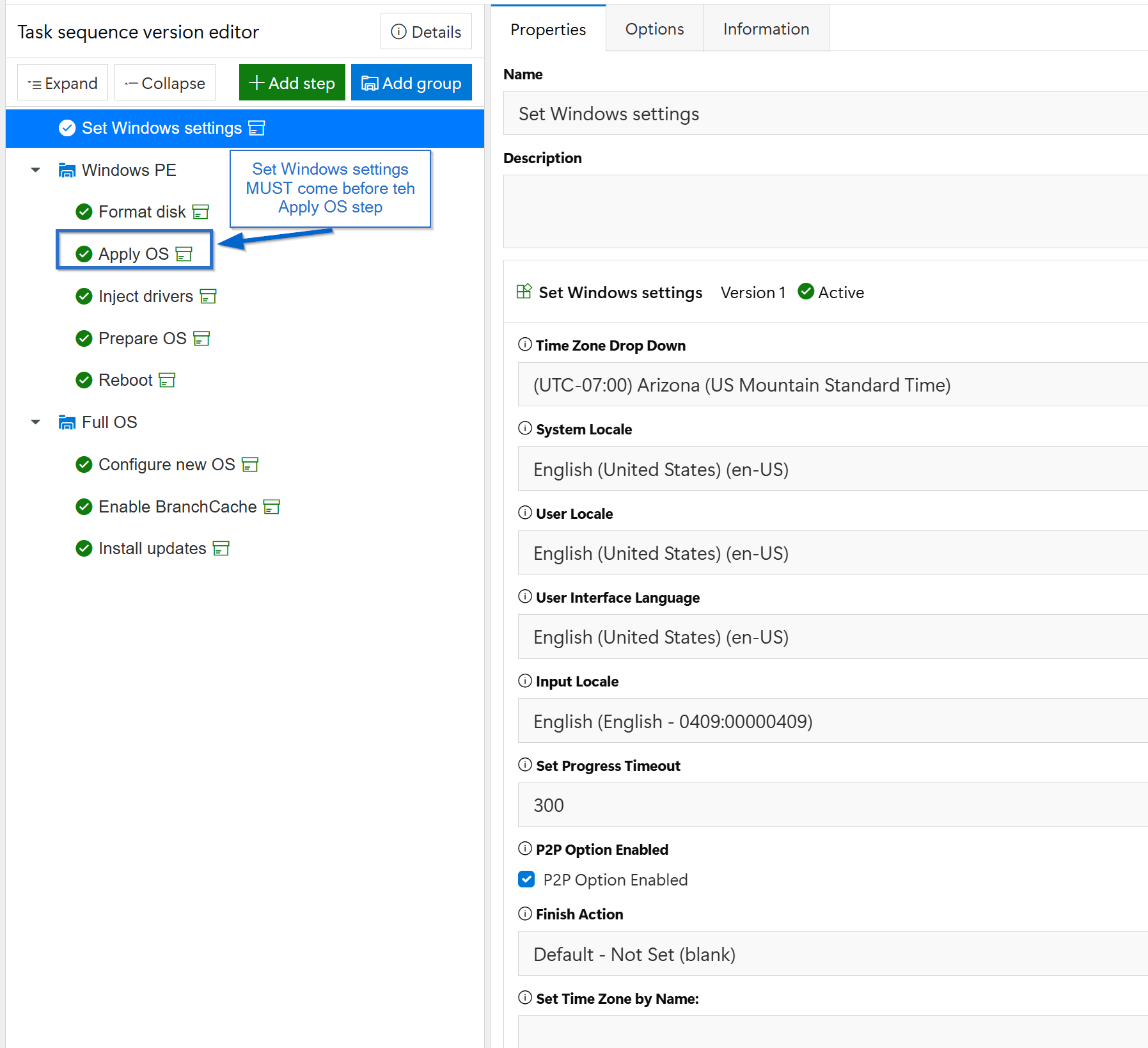
This step helps you set initial variables for your task sequence. Add it at the beginning of the task sequence. Starting with DeployR 1.4, it is included in the Windows bare metal, build and capture, and refresh templates. Many of these variables are used by the Apply operating system step, so you must run this step first. The Apply operating system step collects these variables, along with others, and uses them to populate the unattend.xml file. If you specify different languages here but do not include them in your installation WIM, the results may be unexpected.
Some settings, such as the time zone, may be reset during the Autopilot reseal process. The following variables can be set for the task sequence environment:
Peering (
trueto use P2P during the task sequence,falseto turn it off, orNoCacheto download from peers without caching the content on this device).FinishAction (reboot, shutdown, logoff, reseal (for Autopilot), resealshutdown, nothing). resealshutdown, added to the list in DeployR 1.4, reseals the device (
sysprep /oobe) and then shuts it down instead of restarting it.ProgressTimeout (how long the progress UI stays on the success screen after the task sequence completes)
For more details about these variables, see Task Sequence variables
Options
Time Zone Drop Down
Time zone for the new OS. Sets the TIMEZONE variable. Default: US Mountain Standard Time. When the step runs in the full OS, the time zone is also changed immediately.
System Locale
Sets the SYSTEMLOCALE variable. Default: en-US.
User Locale
Sets the USERLOCALE variable. Default: en-US.
User Interface Language
Sets the UILANGUAGE variable. The language must be in the image, or added with the Install online language pack step. Default: en-US.
Input Locale
Keyboard layout. Sets the INPUTLOCALE variable. Default: English - 0409:00000409.
Set Progress Timeout
Number of seconds the progress UI stays open after the task sequence completes. Sets the PROGRESSTIMEOUT variable. Default: 300.
P2P Option
Enabled, Disabled, or No caching. Sets the PEERING variable to true, false, or NoCache. Default: Enabled.
Finish Action
What happens when the task sequence completes successfully: Shutdown, Reboot, Reseal and restart (For Autopilot), Reseal and shutdown (For Autopilot), Logoff, or Default - Not Set. Sets the FINISHACTION variable. Default: Default - Not Set.
Set Time Zone by Name:
A Windows time zone name to use instead of the drop-down list, for one that is not listed. See Default time zones. When set, it takes precedence over the drop-down list.
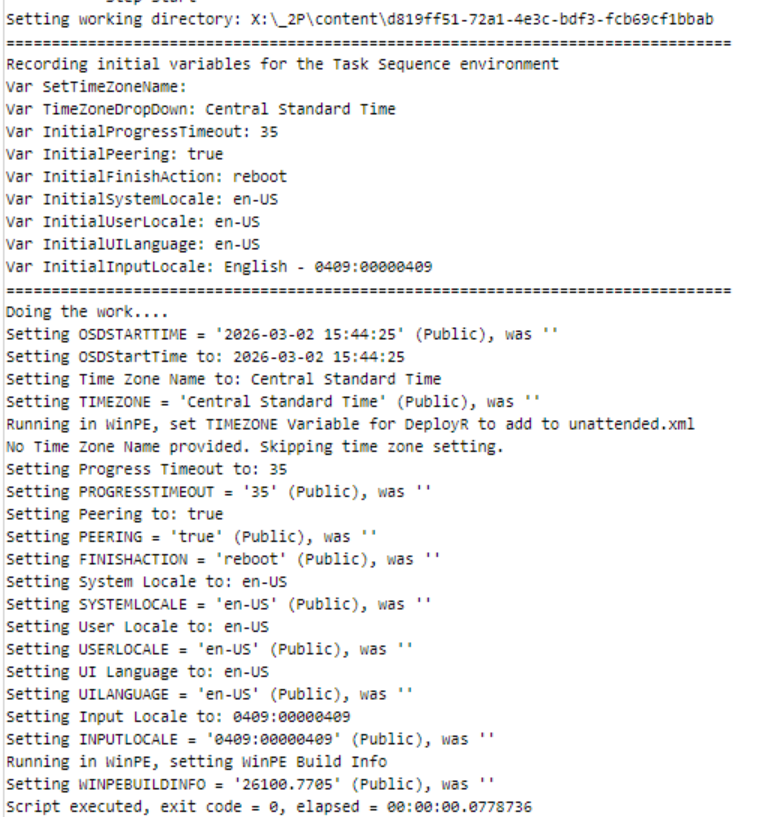
When watching in the log, you will see the variables being set:
Last updated