> For the complete documentation index, see [llms.txt](https://documentation.2pintsoftware.com/llms.txt). Markdown versions of documentation pages are available by appending `.md` to page URLs; this page is available as [Markdown](https://documentation.2pintsoftware.com/deployr/reference/step-definitions.md).
# Step Definitions
In this section, you'll find information detailing the built in steps that DeployR will let you add into your task sequences.
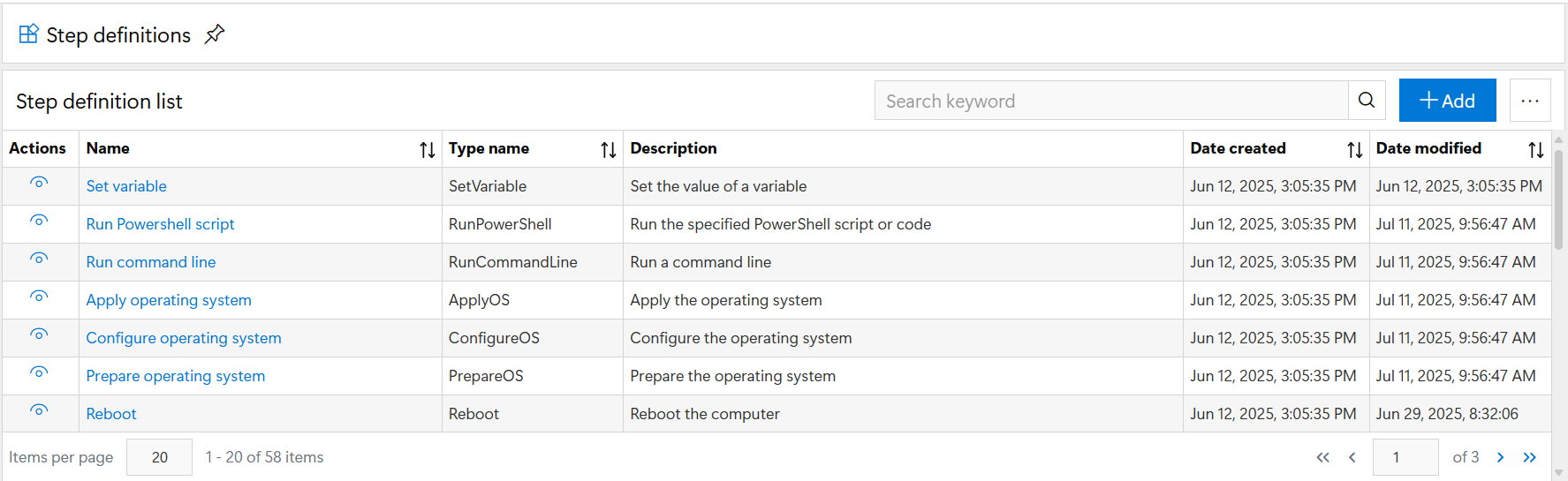
Step Definitions are the engine behind the steps you incorporate into your task sequences. DeployR comes with several in the box step definitions, and there are many others from the community which can be imported to extend the functionality.
To see a list, you can go to the Step definitions blade of DeployR.
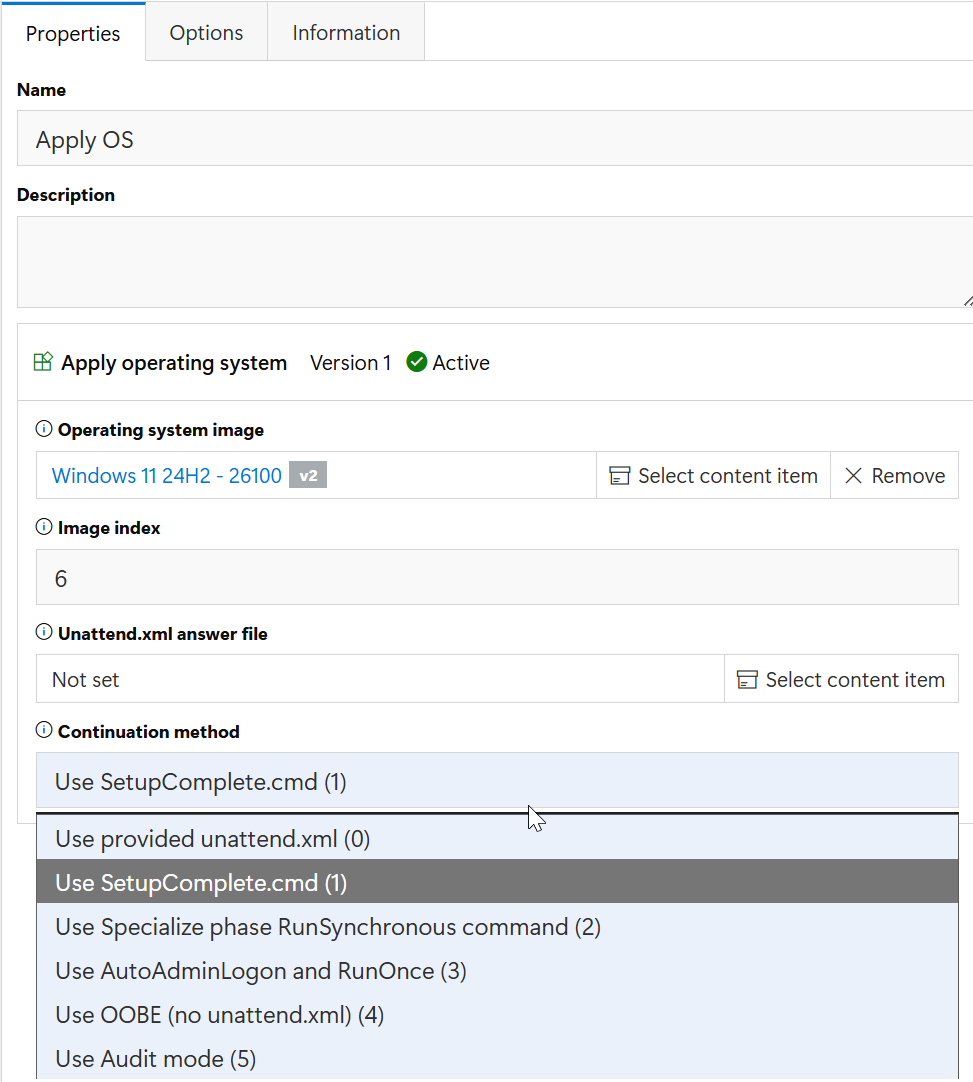
Step definitions have several different Options that can be added into the step to accomidate different scenarios. For an example, we'll take a look at the "Apply OS" step in a task sequence, and then pull up the definition behind it.
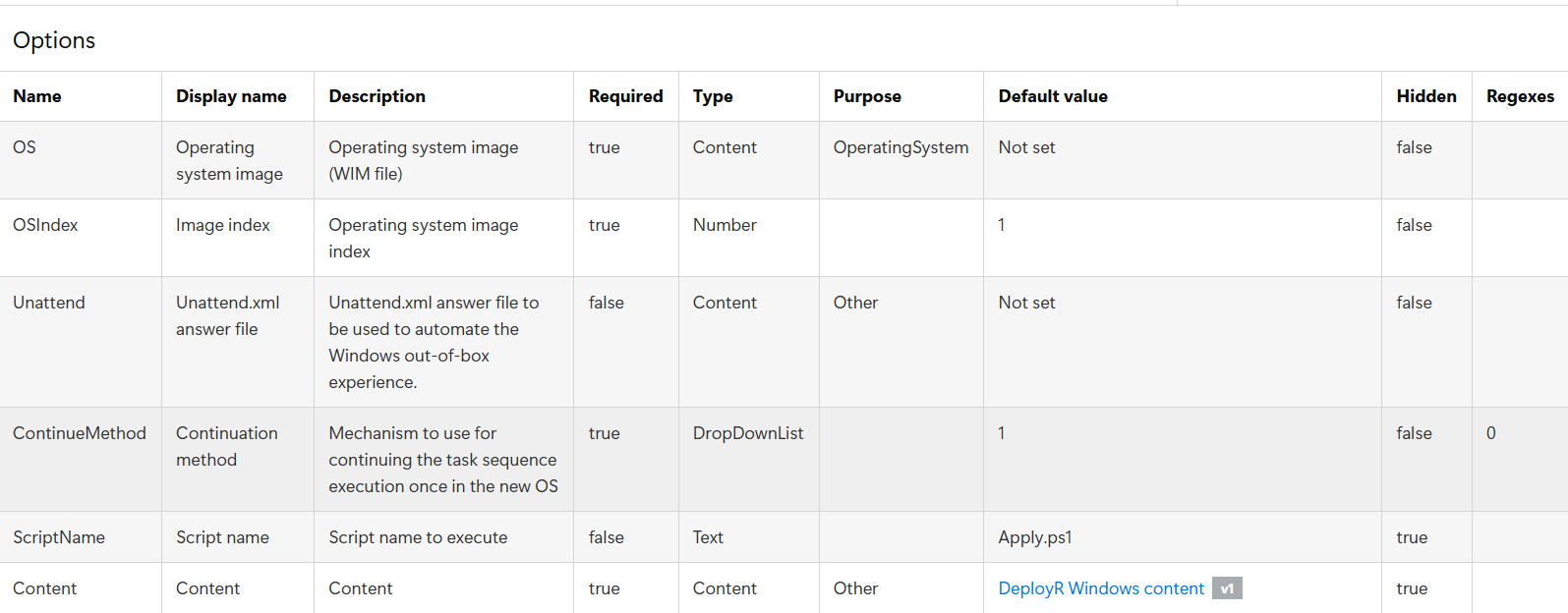
Here we can see that it contains a content item, the WIM file source, a input box for the index number you wish to apply, a content item for the Unattended answer file (optional), and the continuation method drop down box. Lets look at the definition now:
Here there are a couple more things that didn't show up in the UI, as you can see their "Hidden" status is set to true. One is the ScriptName, which is Apply.ps1, and one is the Content Item "DeployR Windows content", which is a content item that contains several scripts used in the task sequence process.
## Custom Step definitions
The ability to create your own step definitions is available too. This is useful when other teams or administrators will need to be build task sequences, but you want to simplify and control processes in the task sequence. Instead of having a large PowerShell script with several parameters, you can create your own step definition that will prompt for basic information in the console when they add the step, then do the heavy lifting on the backend.
---
# Agent Instructions
This documentation is published with GitBook. GitBook is the documentation platform designed so that both humans and AI agents can read, navigate, and reason over technical content effectively. Learn more at gitbook.com.
## Querying This Documentation
If you need additional information that is not directly available in this page, you can query the documentation dynamically by asking a question.
Perform an HTTP GET request on the current page URL with the `ask` query parameter, and the optional `goal` query parameter:
```
GET https://documentation.2pintsoftware.com/deployr/reference/step-definitions.md?ask=&goal=
```
`ask` is the immediate question: it should be specific, self-contained, and written in natural language.
`goal` is optional and describes the broader end goal you are ultimately trying to accomplish on behalf of the user. GitBook uses it to tailor the answer towards what is most useful for that goal.
The response will contain a direct answer to the question and relevant excerpts and sources from the documentation.
Use this mechanism when the answer is not explicitly present in the current page, you need clarification or additional context, or you want to retrieve related documentation sections.