> For the complete documentation index, see [llms.txt](https://documentation.2pintsoftware.com/llms.txt). Markdown versions of documentation pages are available by appending `.md` to page URLs; this page is available as [Markdown](https://documentation.2pintsoftware.com/deployr/content-management/operating-system.md).
# Operating system
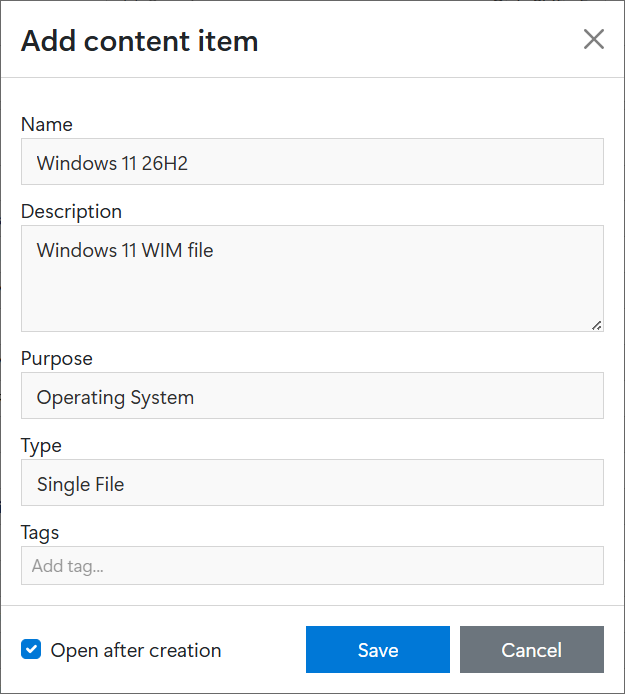
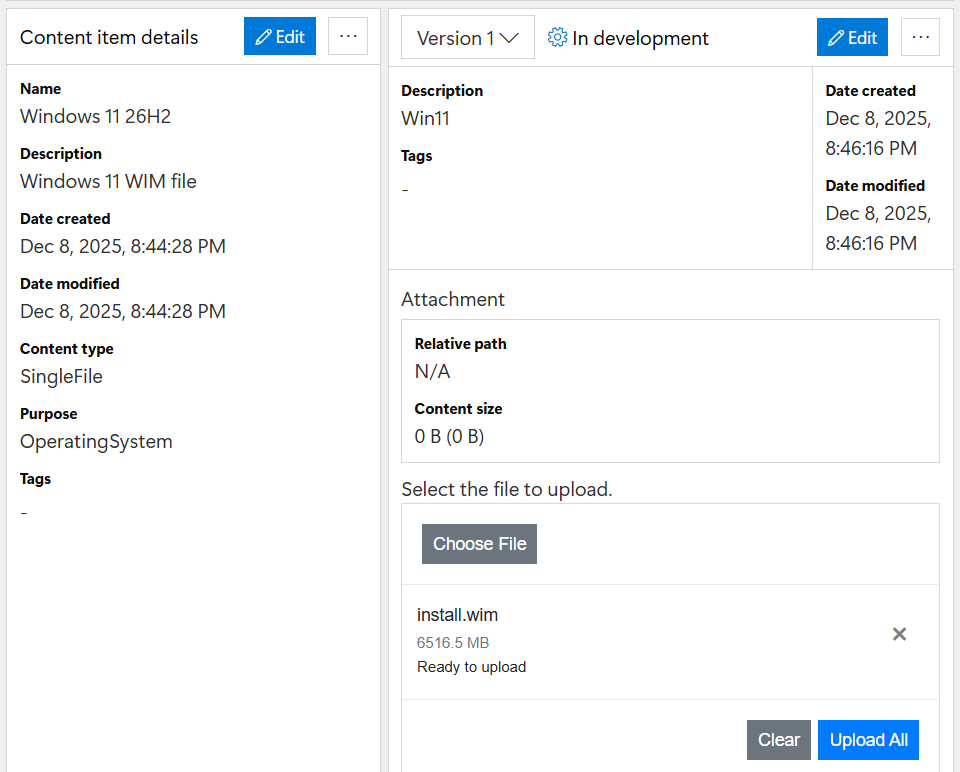
First, create an operating system content item:
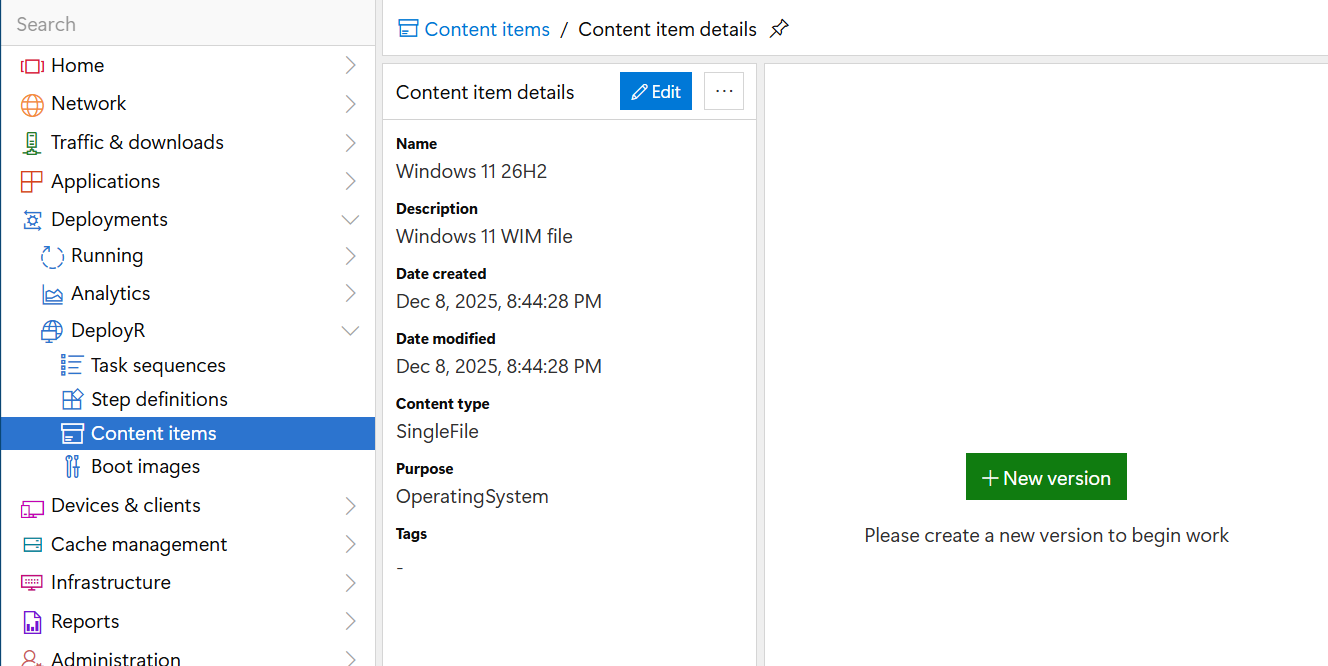
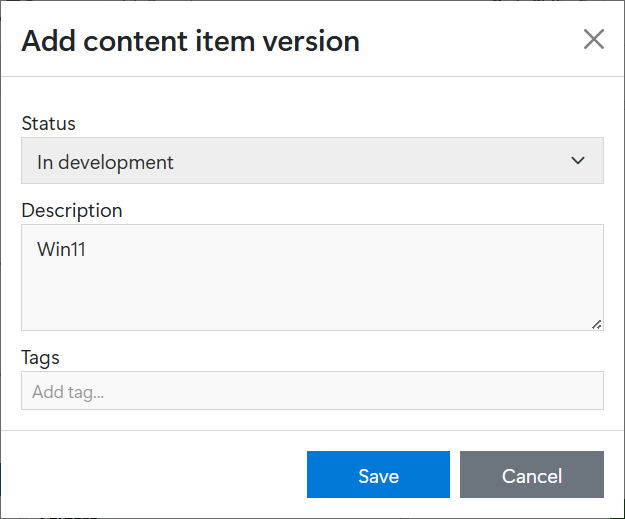
Next, create a new operating system version, click "+ New version" on the content items details page.
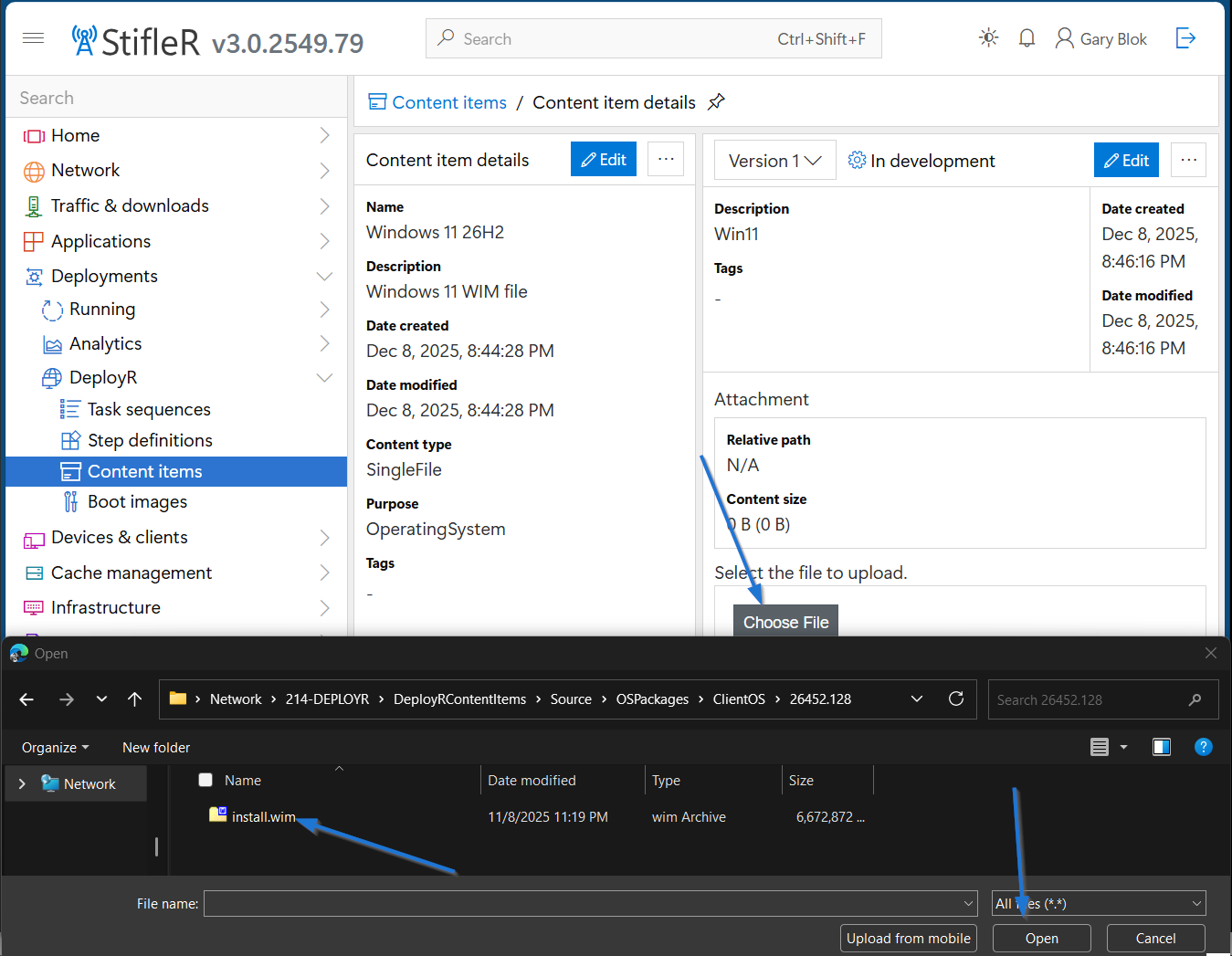
You'll then be able to choose your WIM file by clicking "Choose File", browsing to your WIM file, and clicking "Open"
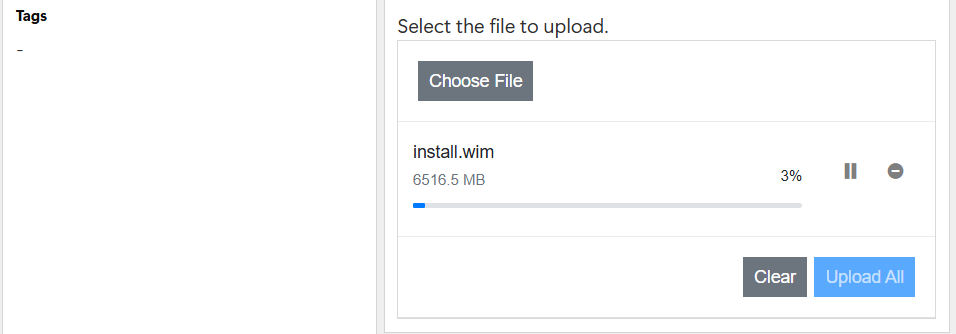
You then click "Upload All" and watch the super fun status bar while you sip that coffee and check your Discord rooms.
### Accepted File Types
DeployR orginially accessed OS WIM files, however it is now possible to use an ISO as well. When an ISO is uploaded as an Operating System content item, The “Apply operating system” step/script will now mount the ISO in Windows PE and the “sources\install.wim” will be used from that.
### Troubleshooting during Task Sequence
The most common issues that happen during this step are caused by setting the Content Type to "Folder" instead of Single File. During the Task Sequence, this will result in the following error:
```
Applying image s:\_2P\content\%WIMContentItemGUID%\ index 1 to path S:\
ERROR: Value does not fall within the expected range.
```
On a successful OSD proccess, it would say the file it's applying like so:
```
Applying image s:\_2P\content\%WIMContentItemGUID%\ index 1 to path S:\
```
Other times it's because the index number doesn't exist in the WIM, ex: You're trying to apply Index 5, which is typically PRO, but the WIM you're using only has 1 index because it's been already modified before import.
We have also seen issues due to too low of Memory, this happens most frequently on Virtual Machines with less than 4GB alocated, or when Dynamic Memory is enabled.
---
# Agent Instructions
This documentation is published with GitBook. GitBook is the documentation platform designed so that both humans and AI agents can read, navigate, and reason over technical content effectively. Learn more at gitbook.com.
## Querying This Documentation
If you need additional information that is not directly available in this page, you can query the documentation by asking a question.
Perform an HTTP GET request on the following URL with the `ask` and `goal` query parameters:
```
GET https://documentation.2pintsoftware.com/deployr/content-management/operating-system.md?ask=&goal=
```
`ask` is the immediate question: it should be specific, self-contained, and written in natural language.
`goal` is what the user is ultimately trying to achieve, the reason they need the answer. Sharing it helps GitBook give you a better, more relevant answer. A goal is most helpful when it describes the outcome the user wants rather than restating the question. For example, with `ask=how do I create an API token`, a goal like `automate deployments from our CI pipeline` lets GitBook tailor the answer to that use case.
The response will contain a direct answer to the question and relevant excerpts and sources from the documentation.
Use this mechanism when the answer is not explicitly present in the current page, you need clarification or additional context, or you want to retrieve related documentation sections.