> For the complete documentation index, see [llms.txt](https://documentation.2pintsoftware.com/llms.txt). Markdown versions of documentation pages are available by appending `.md` to page URLs; this page is available as [Markdown](https://documentation.2pintsoftware.com/deployr/deployr-enterprise/prerequisites/networking-prerequisites/fqdn.md).
# Additional configuration steps
## Background
The server requires an fully-qualified domain name (FQDN) that can be resolved by all endpoints running OSD through the DeployR server.
When the server is joined to an Active Directory domain, this is typically configured automatically during the domain join and DNS processes. However, additional steps may be required when the server is in a workgroup.
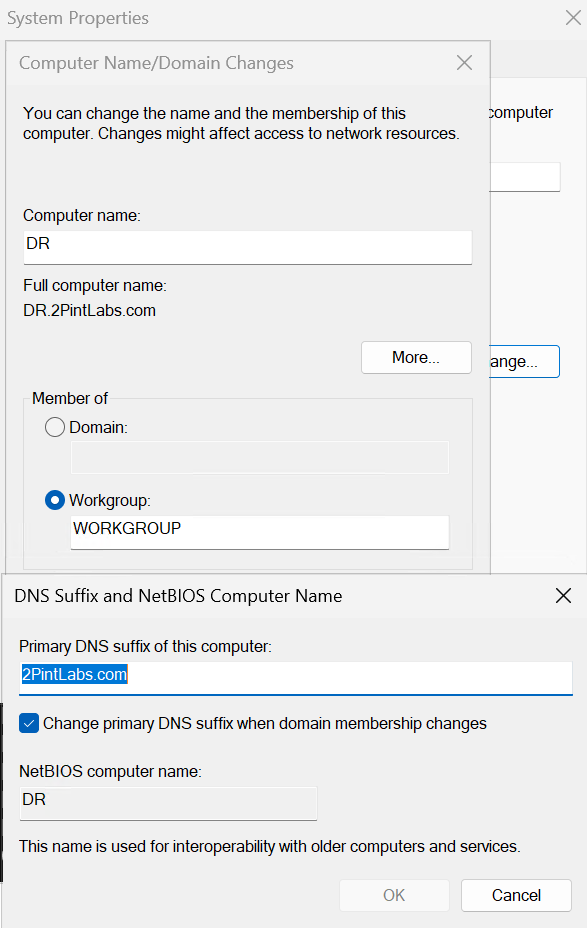
For example, assume the DeployR server is named `dr`, is in a workgroup, and uses the domain name `2pintlabs.com`. On the server, `dr.2pintlabs.com` is configured as the FQDN, and DNS is configured so that clients can resolve this name.
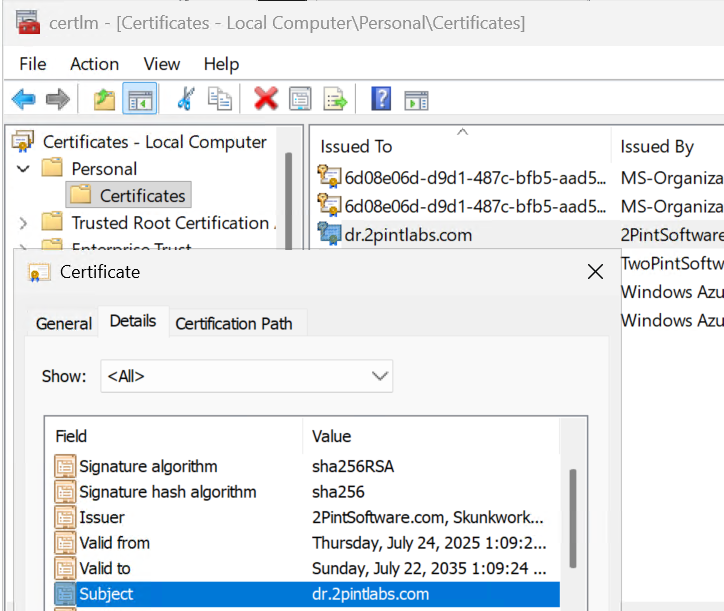
The certificate is also configured for this FQDN so that all communications use the FQDN-based URL.
## Manually configuring an FQDN
For domain-joined machines, the FQDN is typically automatically configured. For workgroup machines it can be configured manually from System Properties. Click "More" on the Computer Name/Domain Changes page and set the "Primary DNS suffix of this computer" as required.
## Authentication
Ensure that the StifleR Dashboard is accessible from the DeployR server and that you can authenticate successfully using Windows credentials, before attempting to install DeployR. If this works from a remote computer but results in an authentication loop from the DeployR server itself, this could be an issue with a Windows LSA loopback setting. See for more information. This is a common issue when using a CNAME alias for accessing the server but can occur in other scenarios as well.
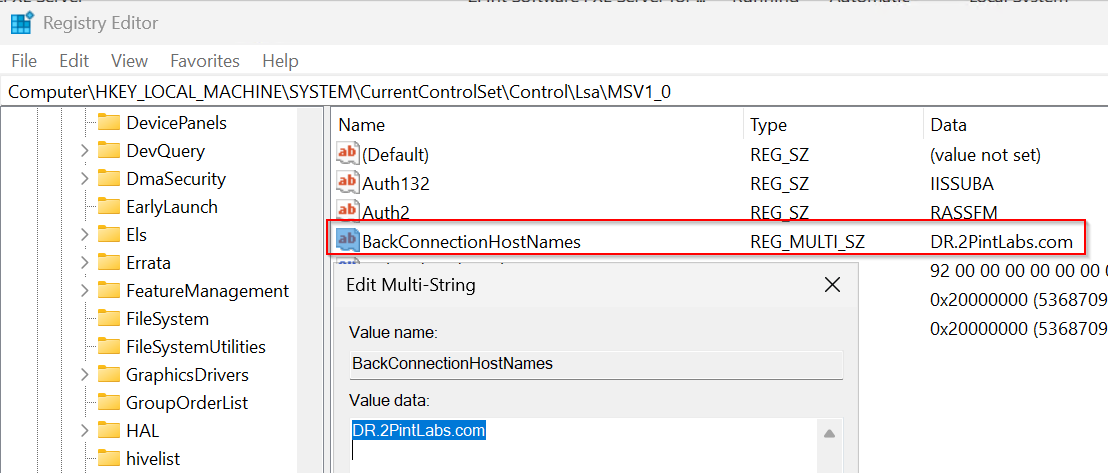
To fix this issue, configure the registry to set the `BackConnectionHostNames` value to include the FQDN.
Computer\HKEY\_LOCAL\_MACHINE\SYSTEM\CurrentControlSet\Control\Lsa\MSV1\_0
In some situations, adding an entry to the local hosts file can help when accessing the server locally.
1. Open **Notepad as an Administrator**
2. Navigate to: `C:\Windows\System32\drivers\etc\hosts`
3. Add a new entry mapping:
* The **internal IP address** of the server
* To the **external FQDN**
4. Ex: 10.1.1.16 dr.2pintlabs.com
---
# Agent Instructions
This documentation is published with GitBook. GitBook is the documentation platform designed so that both humans and AI agents can read, navigate, and reason over technical content effectively. Learn more at gitbook.com.
## Querying This Documentation
If you need additional information that is not directly available in this page, you can query the documentation by asking a question.
Perform an HTTP GET request on the following URL with the `ask` and `goal` query parameters:
```
GET https://documentation.2pintsoftware.com/deployr/deployr-enterprise/prerequisites/networking-prerequisites/fqdn.md?ask=&goal=
```
`ask` is the immediate question: it should be specific, self-contained, and written in natural language.
`goal` is what the user is ultimately trying to achieve, the reason they need the answer. Sharing it helps GitBook give you a better, more relevant answer. A goal is most helpful when it describes the outcome the user wants rather than restating the question. For example, with `ask=how do I create an API token`, a goal like `automate deployments from our CI pipeline` lets GitBook tailor the answer to that use case.
The response will contain a direct answer to the question and relevant excerpts and sources from the documentation.
Use this mechanism when the answer is not explicitly present in the current page, you need clarification or additional context, or you want to retrieve related documentation sections.