

FQDN
The server requires an FQDN that can be resolved by all endpoints running OSD through the DeployR server.
When the server is joined to an Active Directory domain, this is typically configured automatically during the domain join and DNS processes. However, additional steps may be required when the server is in a workgroup.
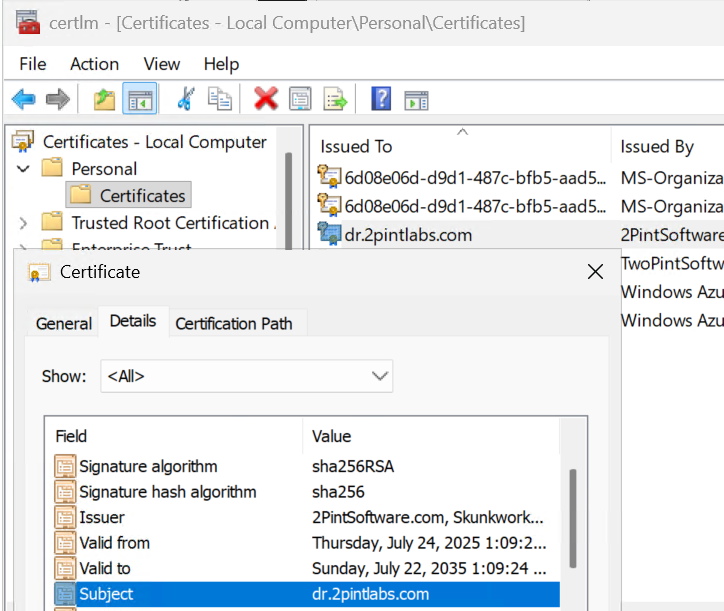
For example, assume the DeployR server is named dr, is in a workgroup, and uses the domain name 2pintlabs.com. On the server, dr.2pintlabs.com is configured as the FQDN, and DNS is configured so that clients can resolve this name.
The certificate is also configured for this FQDN so that all communications use the FQDN-based URL.
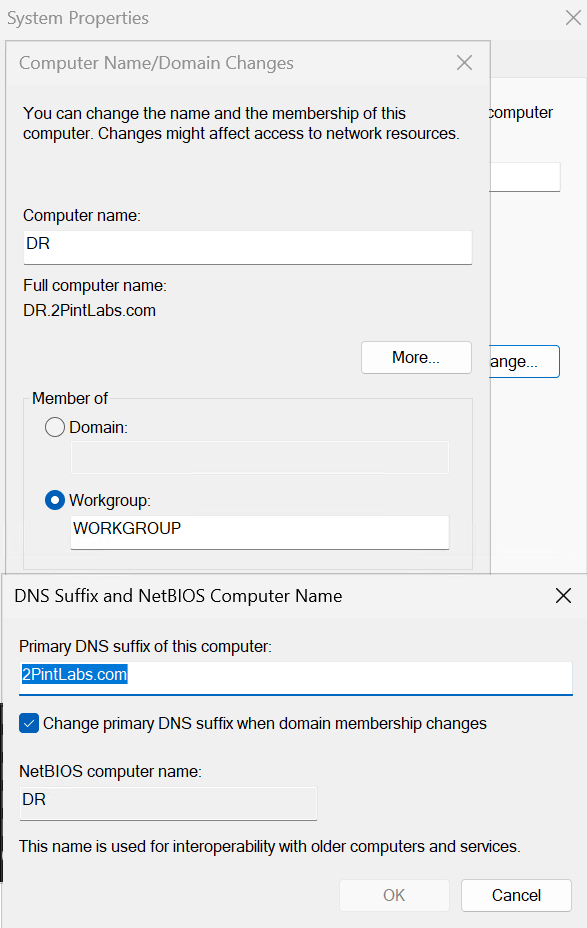
Also set the DNS suffix for the computer name:
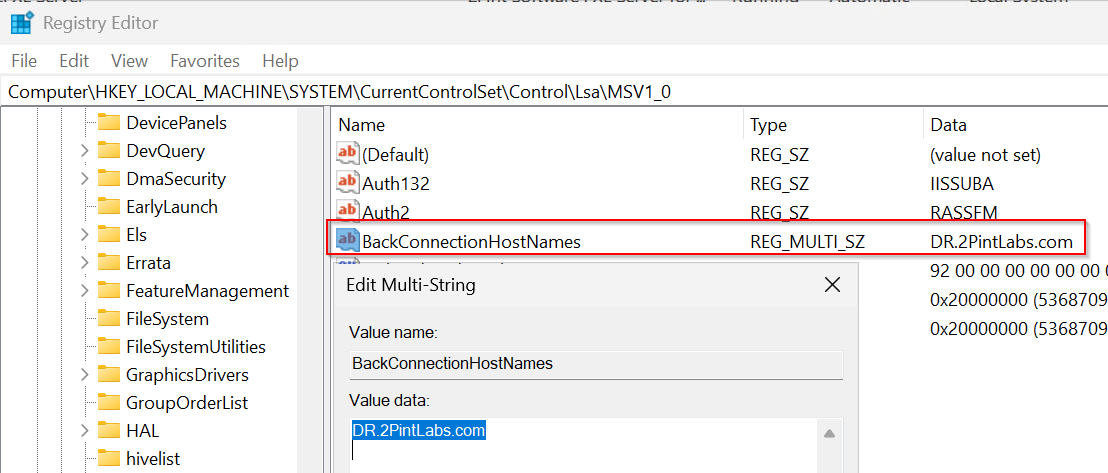
Also configure BackConnectionHostNames:
Computer\HKEY_LOCAL_MACHINE\SYSTEM\CurrentControlSet\Control\Lsa\MSV1_0
In some situations, adding an entry to the local hosts file can help when accessing the server locally.
Open Notepad as an Administrator
Navigate to:
C:\Windows\System32\drivers\etc\hostsAdd a new entry mapping:
The internal IP address of the server
To the external FQDN
Ex: 10.1.1.16 dr.2pintlabs.com
Last updated