

What about certificates?
The DeployR Community installation process will automatically create a TLS certificate that can be used for secure HTTPS communication. This certificate is generated by 2Pint Software via an online service. The certificate, along with the trusted root certificate (public key only; no private key), is automatically stored in the machine's certificate store and used wherever HTTPS communication is required (e.g. client devices communicating with the DeployR server; administration via the StifleR Dashboard; communication between the 2Pint Software products; downloading of files from the 2PXE server; etc.).
The generated certificate is automatically trusted by iPXE and used during the 2PXE boot process. (Internal PKI certificates would not be trusted by default, although certificates issued by a public provider would be.) This certificate is also automatically included in the generated Windows PE boot images used by DeployR, so no additional configuration is needed to add the certificate to the boot images.
The generated certificate has a default lifetime of 90 days. Before it expires, renew it by running TwoPint.DeployRCommunity.Configure.exe from an elevated command prompt. The program is located in C:\Program Files\2Pint Software\DeployR\Tools.
A future DeployR Community update will automate this renewal process.
You may notice that accessing the administrative web page (e.g. "https://<fqdn>:9000/dashboard") shows a TLS or HTTPS error when accessed from a different computer. This is because the trusted root certificate added to the computer by the installation process is not present on other machines. You can manually export the certificate from the DeployR Community server:
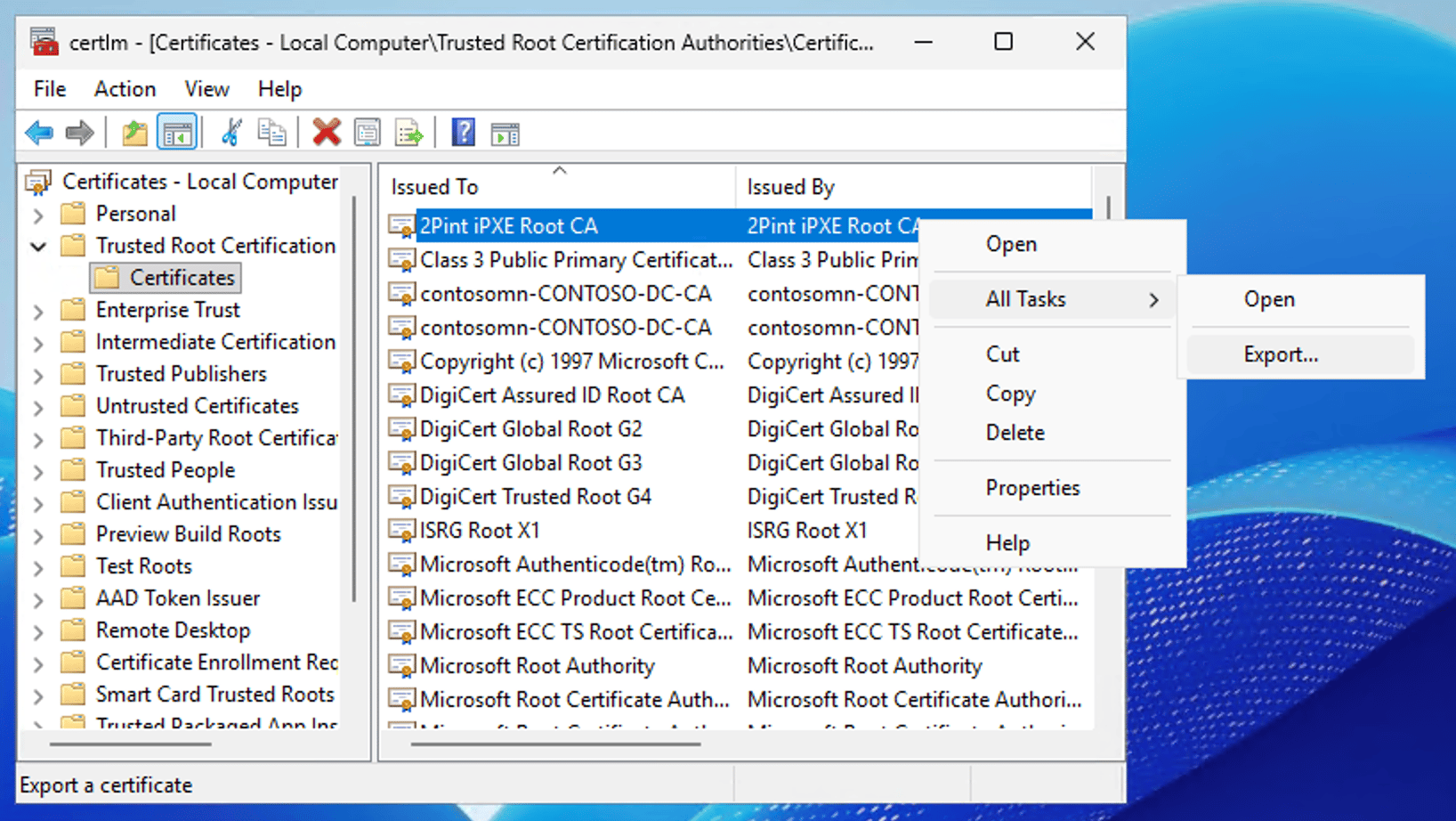
Import that certificate into the Trusted Root Certification Authorities store on each computer that needs access to the site. Alternatively, you can choose to continue past the browser warning.
Last updated