

Using 2PXE with iPXE Anywhere Web Service
You can also PXE boot DeployR images using the 2Pint Software 2PXE service integrated with the iPXE Anywhere Web Service. See the iPXE Web Service documentation for information on installation and configuration. This requires configuring the 2PXE service to integrate with the iPXE Anywhere Web Service and customizing the iPXE Web Service scripts to add DeployR boot menu options.
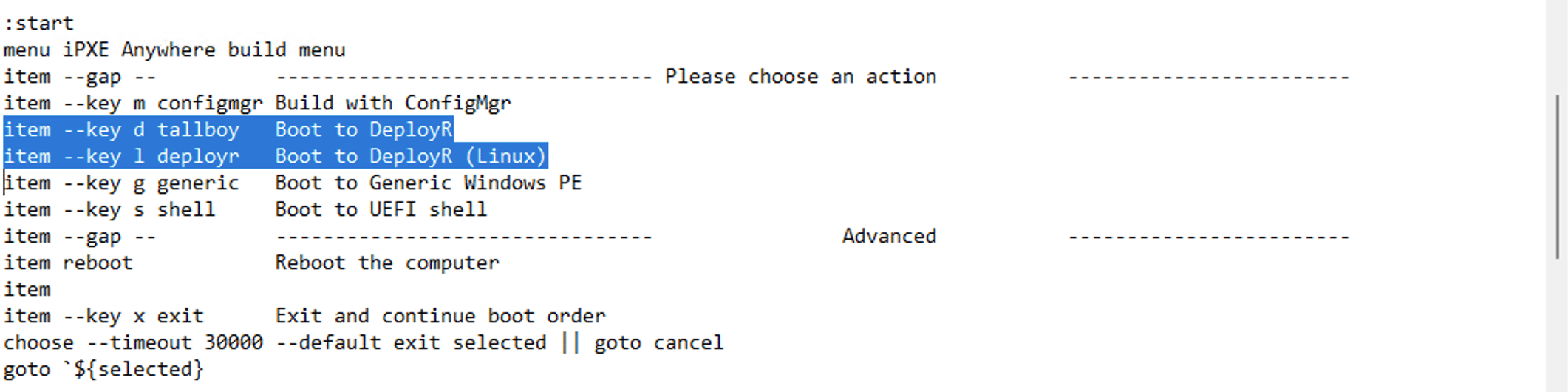
To add DeployR boot menu options, edit the "C:\Program Files\2Pint Software\iPXE AnywhereWS\Scripts\Boot\iPXEBoot.ps1" script to add the needed entries. First, add entries to the build menu:
Then add entries that specify how those menu entries should be processed (specifying the URL for the DeployR server):
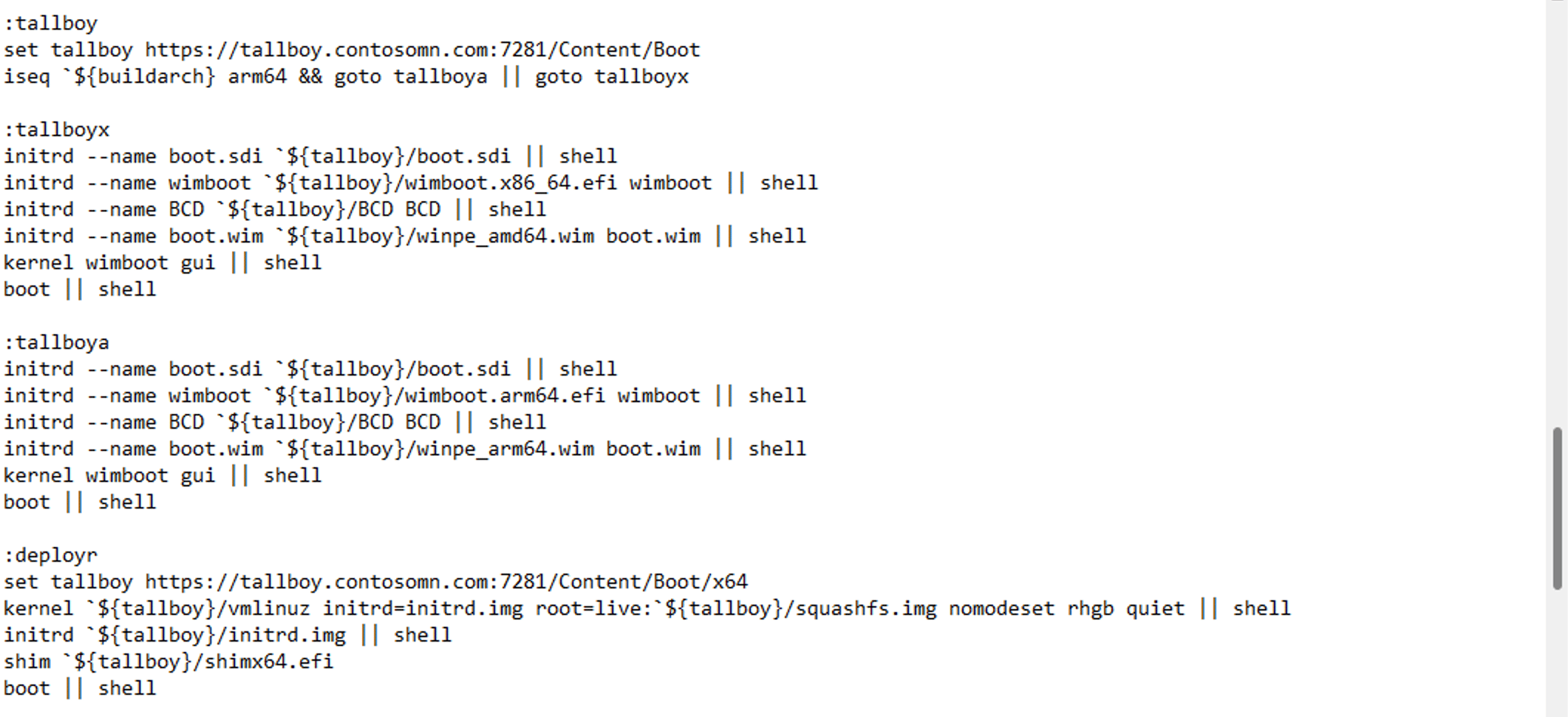
Restart the iPXE Anywhere Web Service after editing the script.
Last updated