

Driver packs Node
This covers the Driver packs node that automates the import of driver packs available from the 2Pint driver pack API, the same catalog used by the "Inject drivers from cloud" step.
You can find this node under DeployR in the Deployments blade.
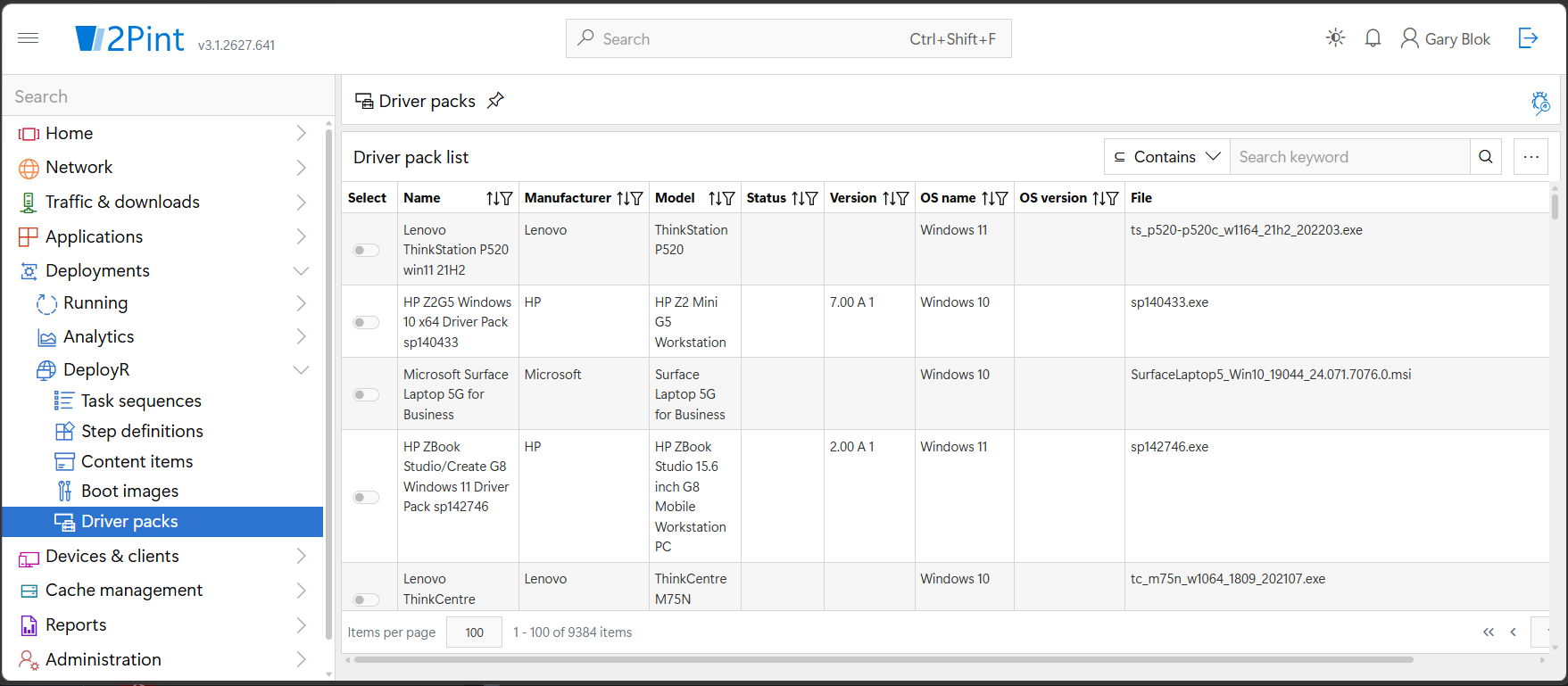
To use this feature, search for the device that needs drivers, then enable the Select toggle. An Import button appears in the upper-left corner; click it to start the process.
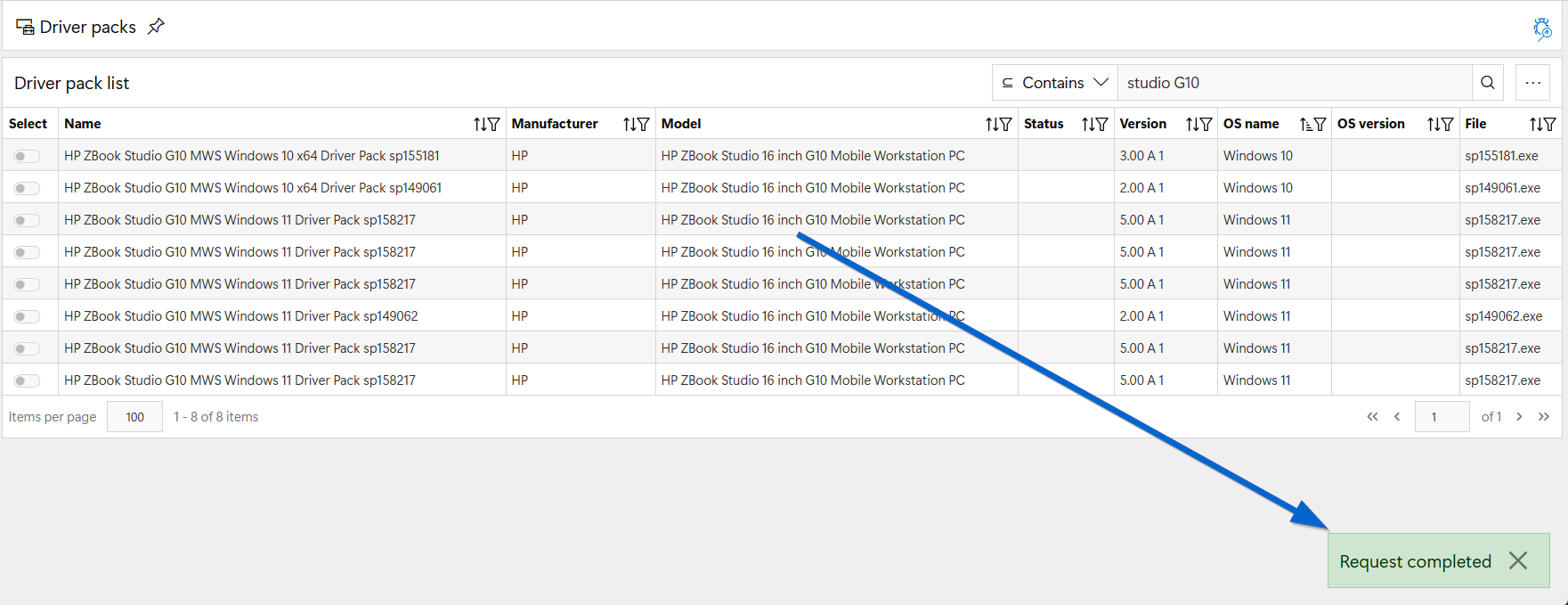
This example shows how to search for an HP ZBook Studio G10 and import the required driver pack. Searching for the keywords Studio G10 displays a list of options:
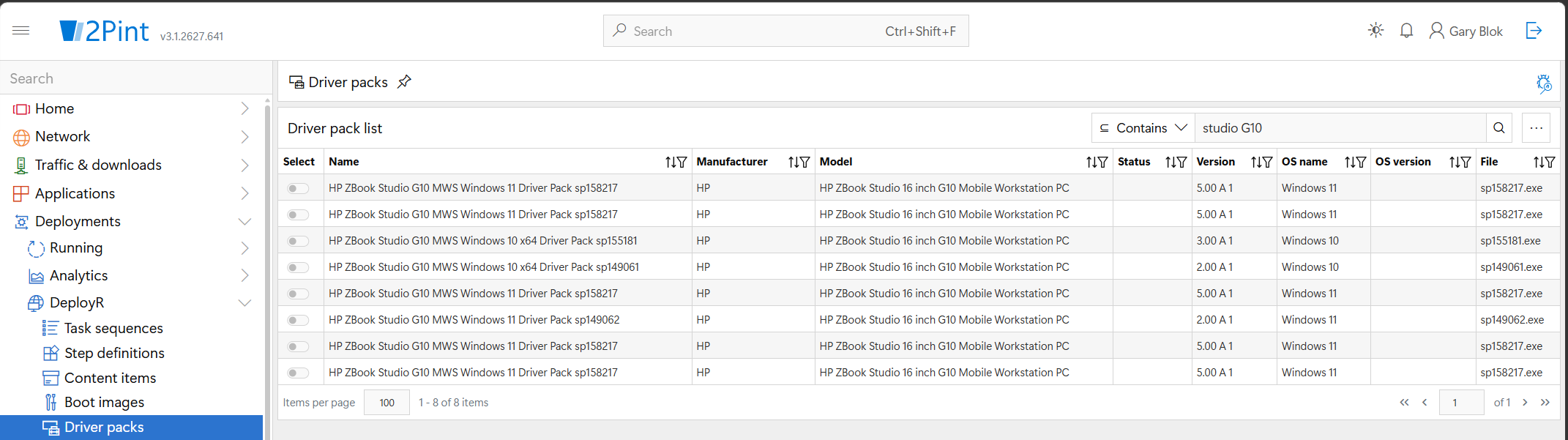
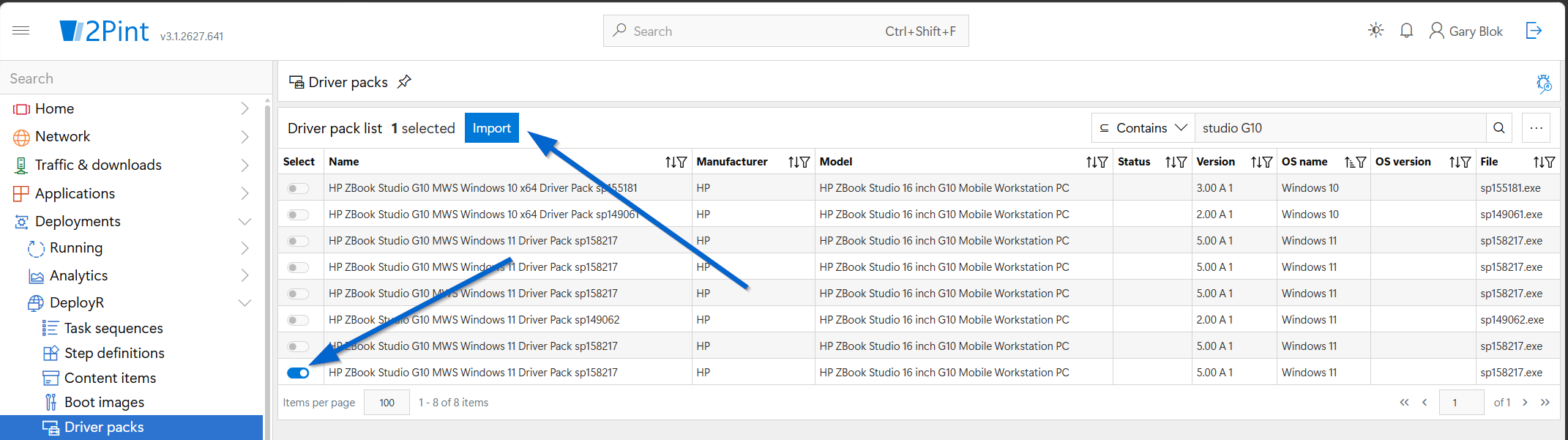
Sorting by OS name can help you find the required pack. Note that duplicate entries may appear, particularly for HP devices with additional metadata. This issue is being investigated. For now, select one of the required packs and click Import:
A confirmation prompt displays the number of driver packs to be imported. In this example, one pack will be imported:
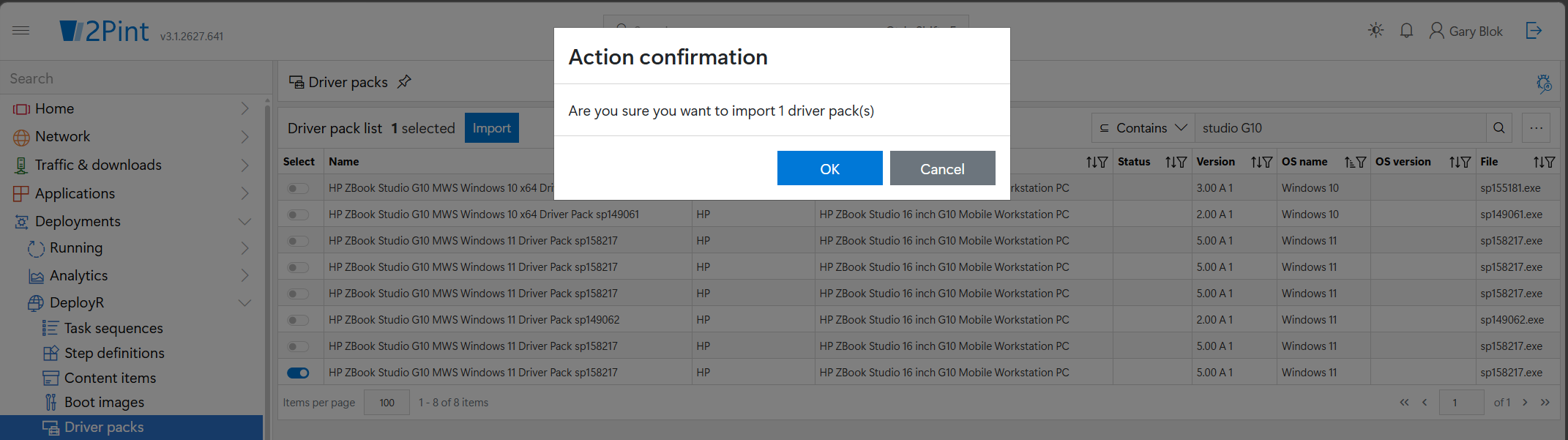
After you click OK, a notification appears in the bottom-right corner.
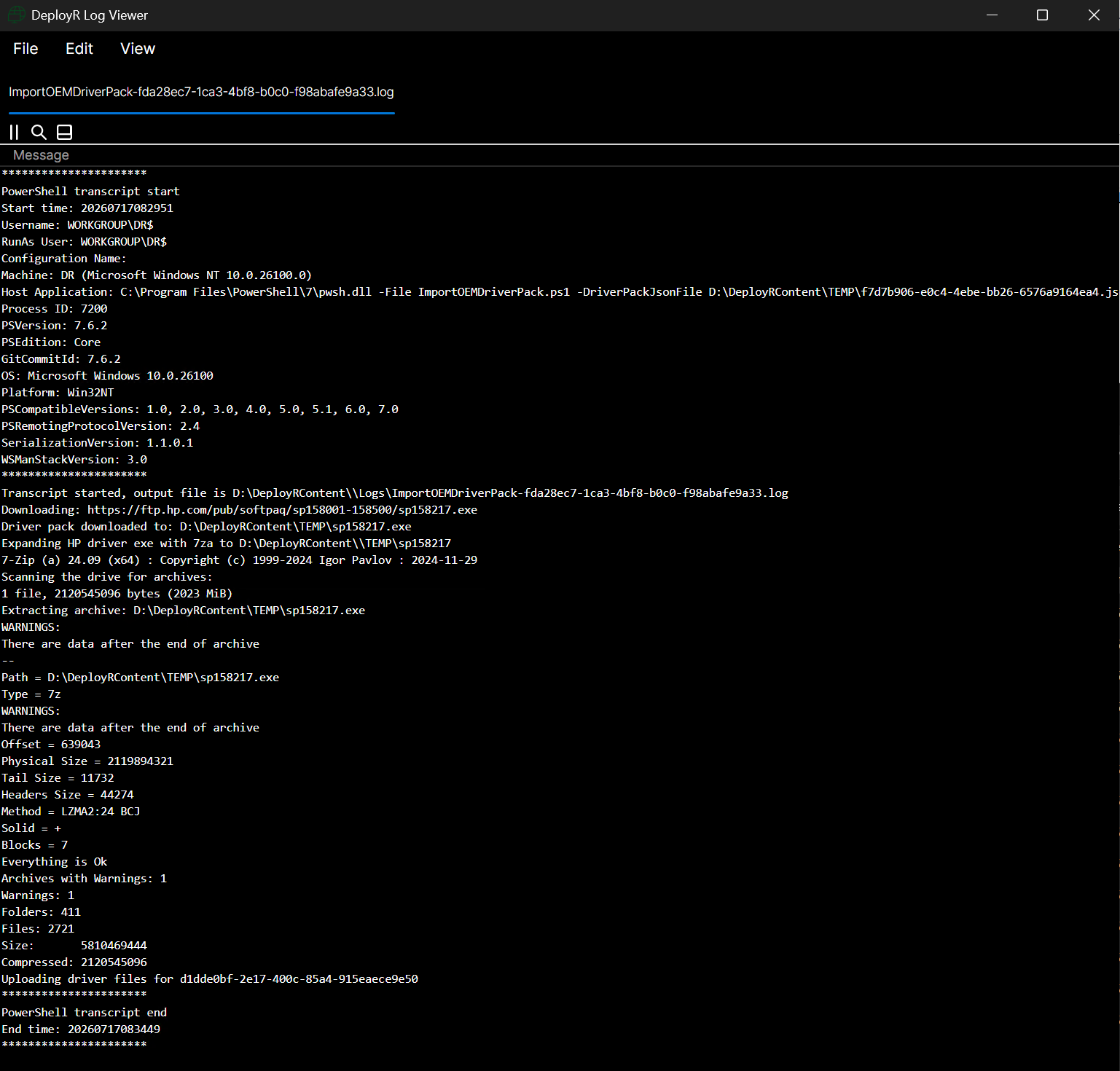
To monitor the process, logs are generated on the DeployR server in the DeployR content log folder, prefixed with the name "ImportOEMDriverPack-" and suffixed with a random GUID. The log shows the status of downloading, extracting, generating the content item, and uploading it into DeployR:
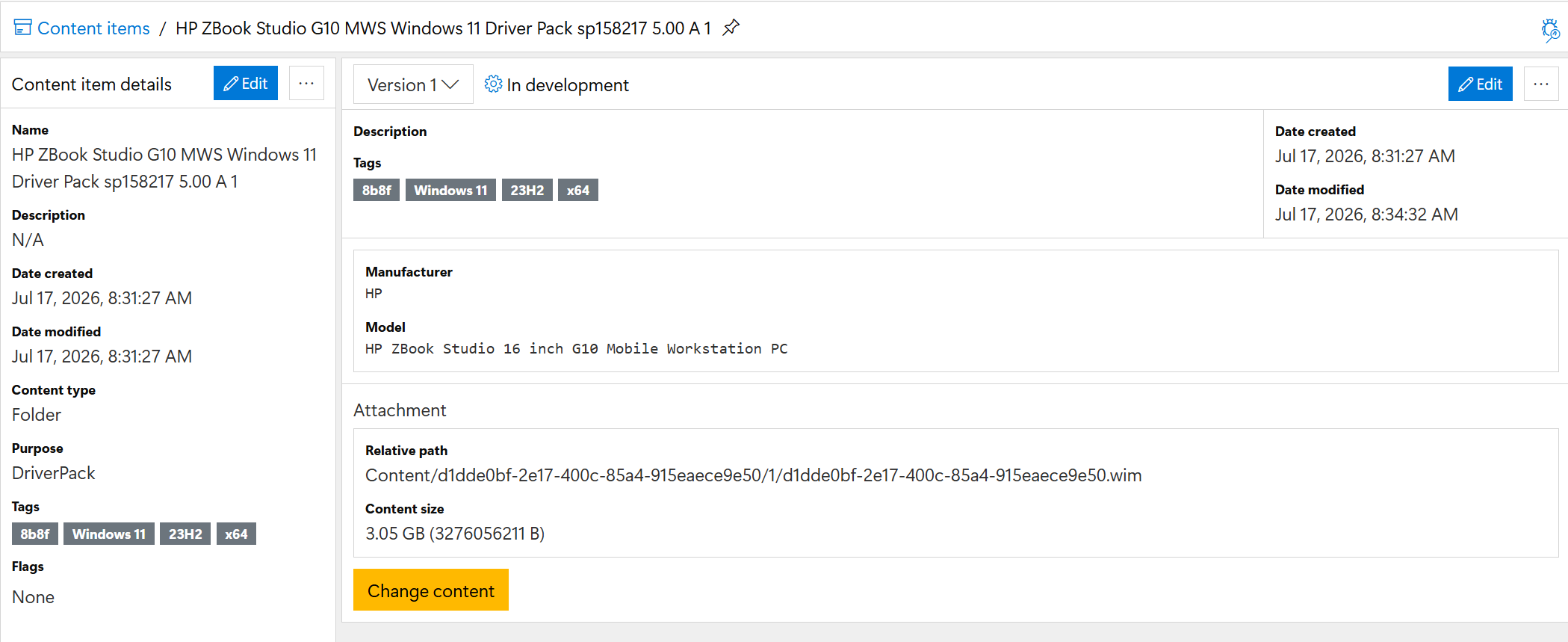
It will now show in the Content items area:

Updates to Driver Pack Catalog
Processes scan the OEM sites for changes several times a day. When new driver packs are released, the catalog is updated to include them.
Last updated