

Generate Driver Pack Content Items
This process was created for DeployR 1.0, before the Get-DeployROemDriverPack and Import-DeployROemDriverPack functions were released in DeployR 1.1. This information is still useful when creating custom driver packs for models that are not supported by the 2Pint catalog.
Using PowerShell is a convenient way to automate the creation of driver pack content items and save time compared with using the dashboard. Creating content items with PowerShell involves several steps: first, create the content item shell, then create a version within it. Note that this is different from importing a content item exported from another DeployR server: this creates a completely new content item from scratch.
You will use several DeployR functions:
New-DeployRContentItem
New-DeployRContentItemVersion
Update-DeployRContentItemContent (If updating previously created Item Version)
In this example, I am using a Dell Pro 14 Plus PB14250 device. I have downloaded and extracted its drivers to "D:\DeployRSources\DriverPacks\Dell\Pro 14 Plus PB14250" First, create the content item shell. Once it is created, it appears in the dashboard.
$MakeAlias = 'Dell'
$ModelAlias = 'Pro 14 Plus PB14250'
$NewCI = New-DeployRContentItem -Name "Driver Pack - $MakeAlias - $ModelAlias" -Type Folder -Purpose DriverPack -Description "Generated for $MakeAlias - $ModelAlias"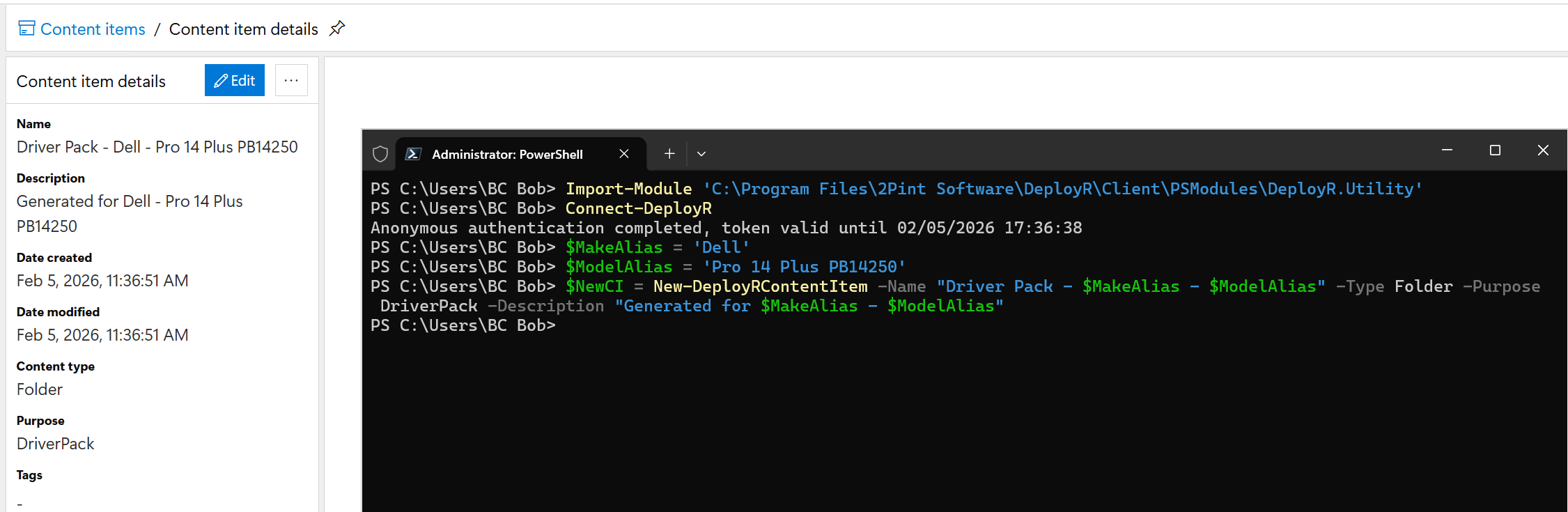
Now that the shell is created, go ahead and create the version item. Grab the Content ID of the new item that was just created, and feed that into the New-DeployRContentItemVersion function.
This will take a while as it builds the content item in DeployR, but when it is done, you can refresh your dashboard and see the new content item:
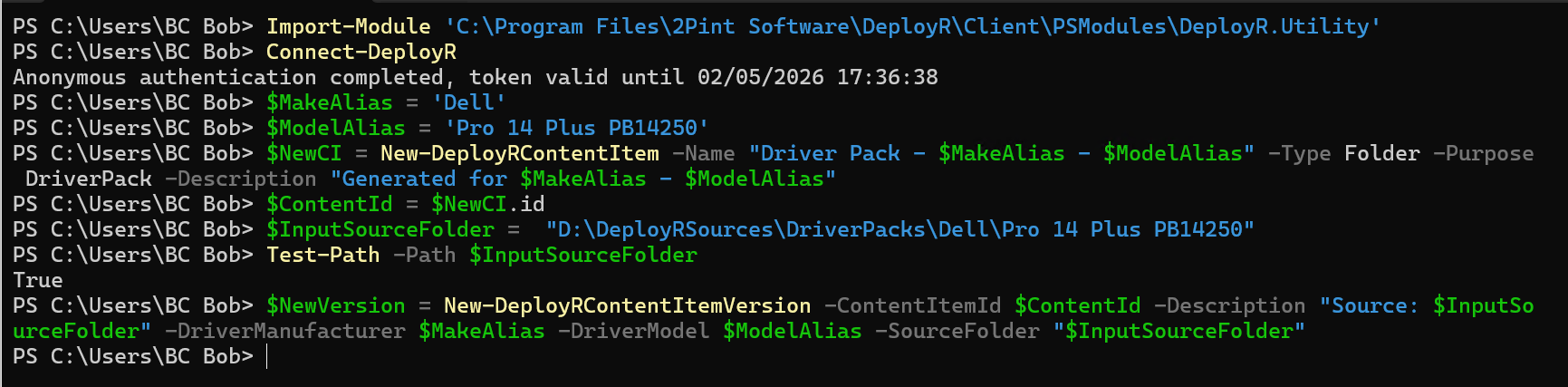
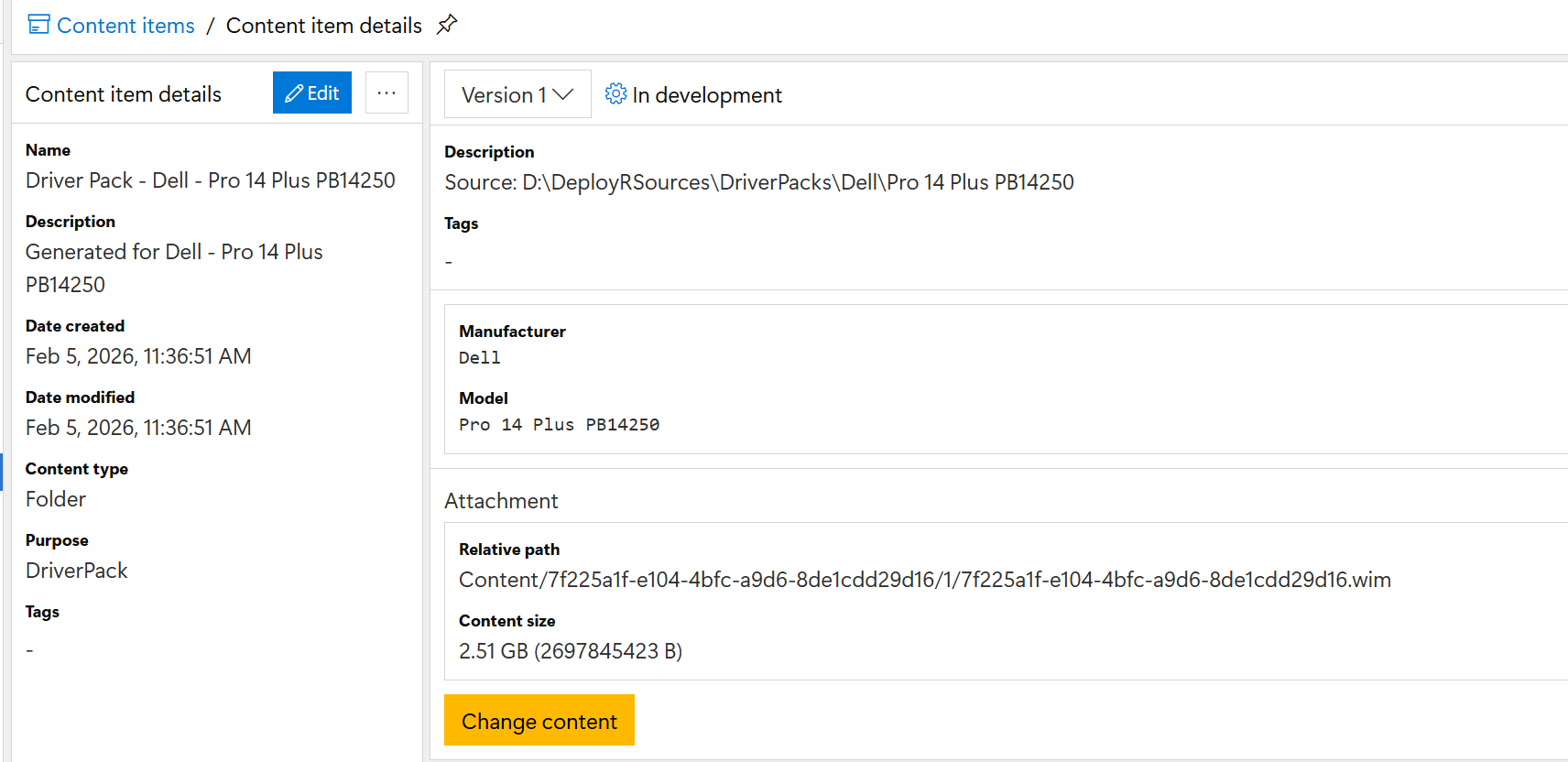
You can get a custom function on GitHub: https://github.com/2pintsoftware/2Pint-DeployR/blob/main/Automation/Import-DriverPackFolder.ps1 to help with importing already extracted drivers.
Last updated