> For the complete documentation index, see [llms.txt](https://documentation.2pintsoftware.com/llms.txt). Markdown versions of documentation pages are available by appending `.md` to page URLs; this page is available as [Markdown](https://documentation.2pintsoftware.com/deployr/customization/patching-winpe-media.md).
# Patching WinPE Media
DeployR automatically applies updates to your x64 boot media when you download the cumulative updates (CUs) and place them in the correct folder.
If DeployR is installed in the default location, it looks for updates here:
C:\Program Files\2Pint Software\DeployR\WebServer\Scripts\\%ARCH%\updates
For example, for x64: C:\Program Files\2Pint Software\DeployR\WebServer\Scripts\amd64\updates
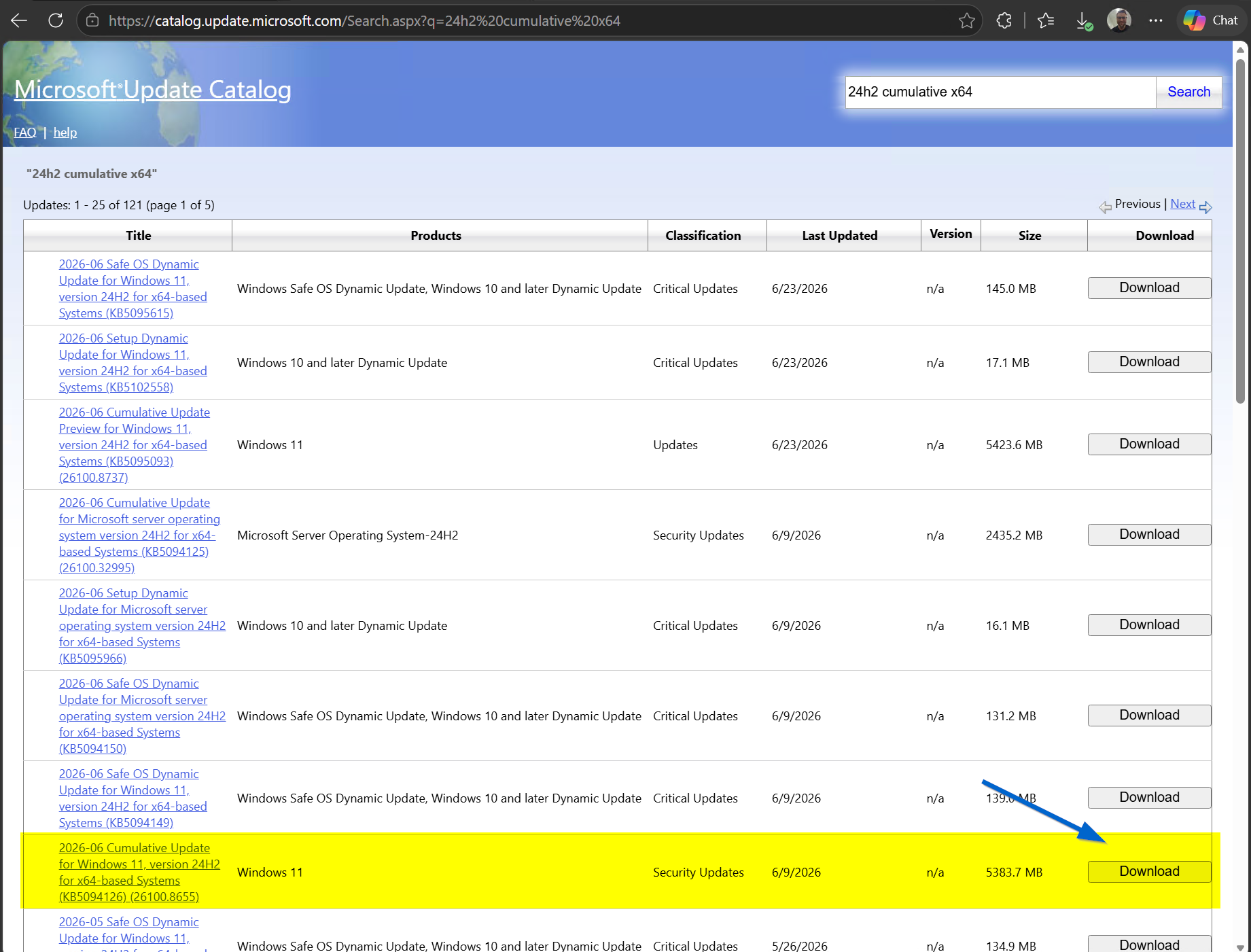
Download the cumulative update files that correspond to your installed ADK version. For example, for the Windows 11 24H2 (26100) ADK, download the latest CU from the Microsoft Update Catalog.
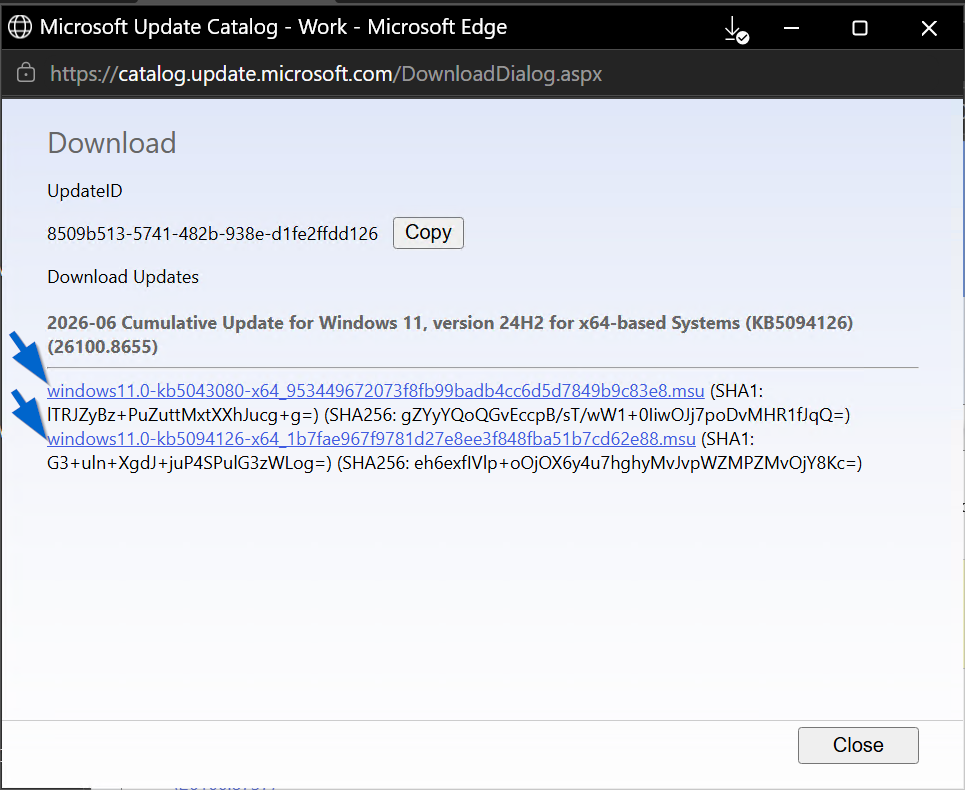
Click **Download**. A new window opens; if multiple files are listed, download them all:
After downloading the files, unblock them in their file properties and move them to the correct folder:
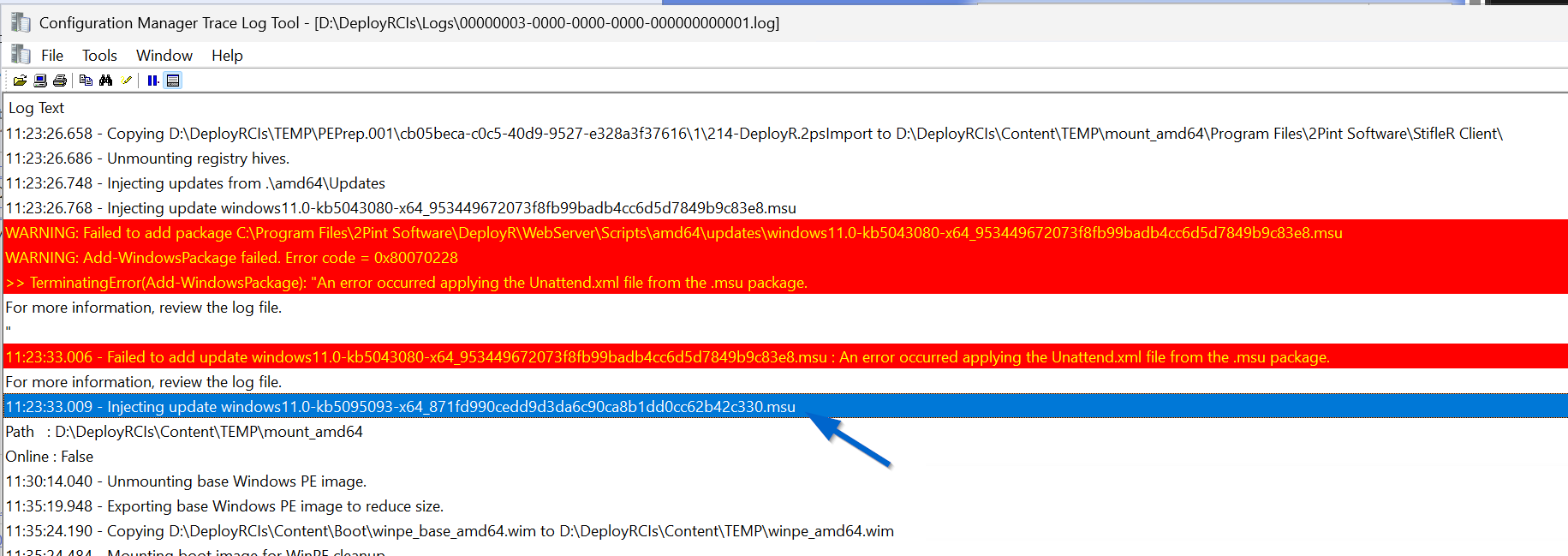
Then regenerate the media via the button in the dashboard. When following along in the log, you will first see an error applying the first update (KB5095093); this is expected. It will then successfully apply the main CU, patching the media.
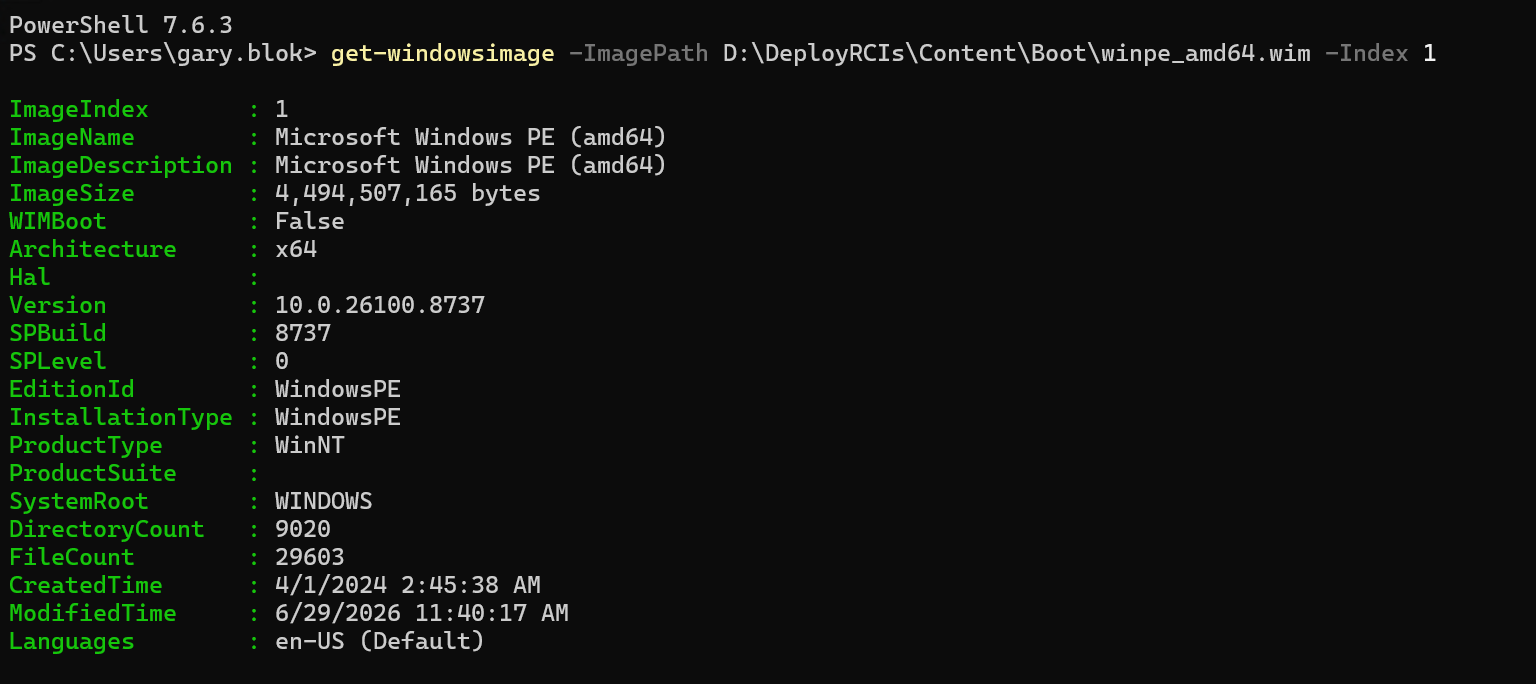
To confirm the patch level, run the Get-WindowsImage cmdlet against index 1 of winpe\_amd64.wim in the content\boot directory.
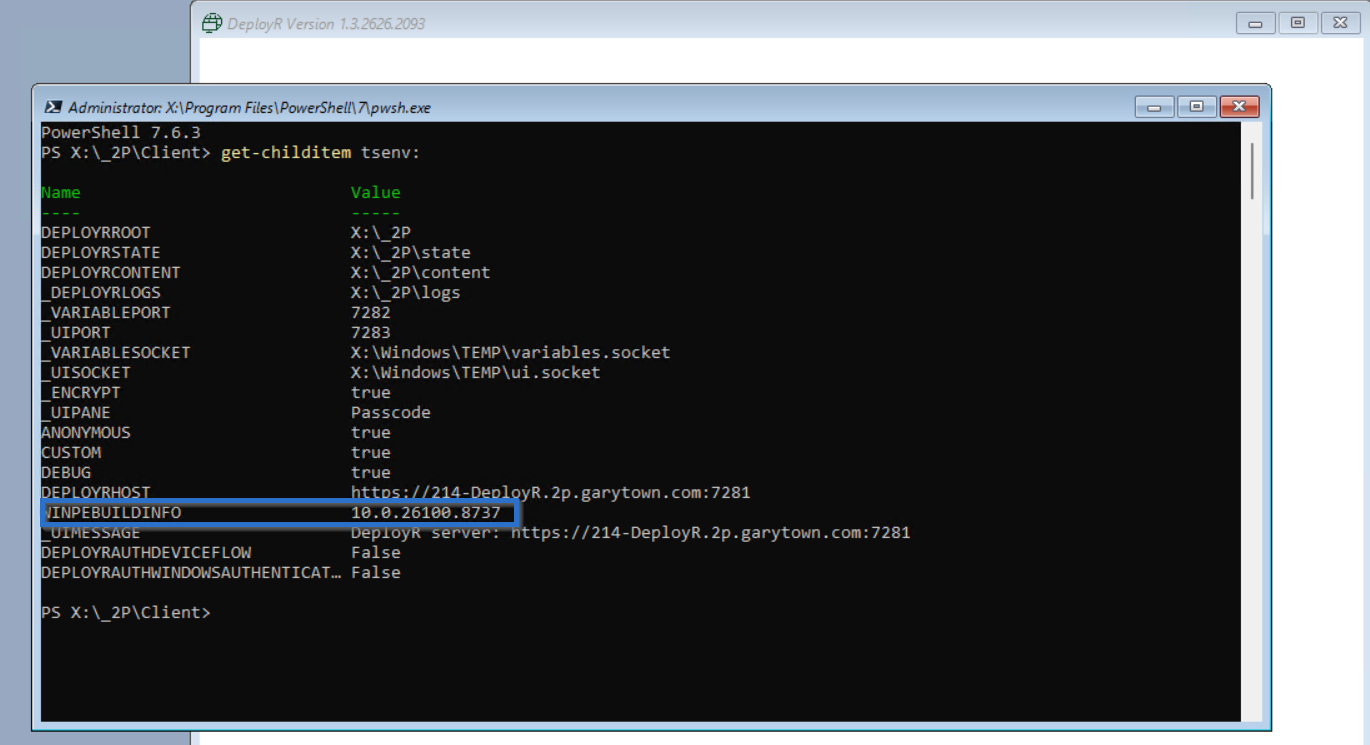
Then the next time a device is booted with that media, it will also show the value in the WINPEBUILDINFO variable:
### Why Patch WinPE?
Typically this is not needed, but sometimes Microsoft has a bug or an issue in the default ADK that requires a patch. The other reason is to support an updated Secure Version Number (SVN) in the firmware. For additional details: and check out Mitigation 4: Apply the Secure Version Number update to the firmware. Additional information from the community concerning the SVN:
---
# Agent Instructions
This documentation is published with GitBook. GitBook is the documentation platform designed so that both humans and AI agents can read, navigate, and reason over technical content effectively. Learn more at gitbook.com.
## Querying This Documentation
If you need additional information that is not directly available in this page, you can query the documentation by asking a question.
Perform an HTTP GET request on the following URL with the `ask` and `goal` query parameters:
```
GET https://documentation.2pintsoftware.com/deployr/customization/patching-winpe-media.md?ask=&goal=
```
`ask` is the immediate question: it should be specific, self-contained, and written in natural language.
`goal` is what the user is ultimately trying to achieve, the reason they need the answer. Sharing it helps GitBook give you a better, more relevant answer. A goal is most helpful when it describes the outcome the user wants rather than restating the question. For example, with `ask=how do I create an API token`, a goal like `automate deployments from our CI pipeline` lets GitBook tailor the answer to that use case.
The response will contain a direct answer to the question and relevant excerpts and sources from the documentation.
Use this mechanism when the answer is not explicitly present in the current page, you need clarification or additional context, or you want to retrieve related documentation sections.