> For the complete documentation index, see [llms.txt](https://documentation.2pintsoftware.com/llms.txt). Markdown versions of documentation pages are available by appending `.md` to page URLs; this page is available as [Markdown](https://documentation.2pintsoftware.com/deployr/content-management/driver-packs/driver-packs-node.md).
# Driver packs Node
This covers the Driver packs node that automates the import of driver packs available from the 2Pint driver pack API, the same catalog used by the "Inject drivers from cloud" step.
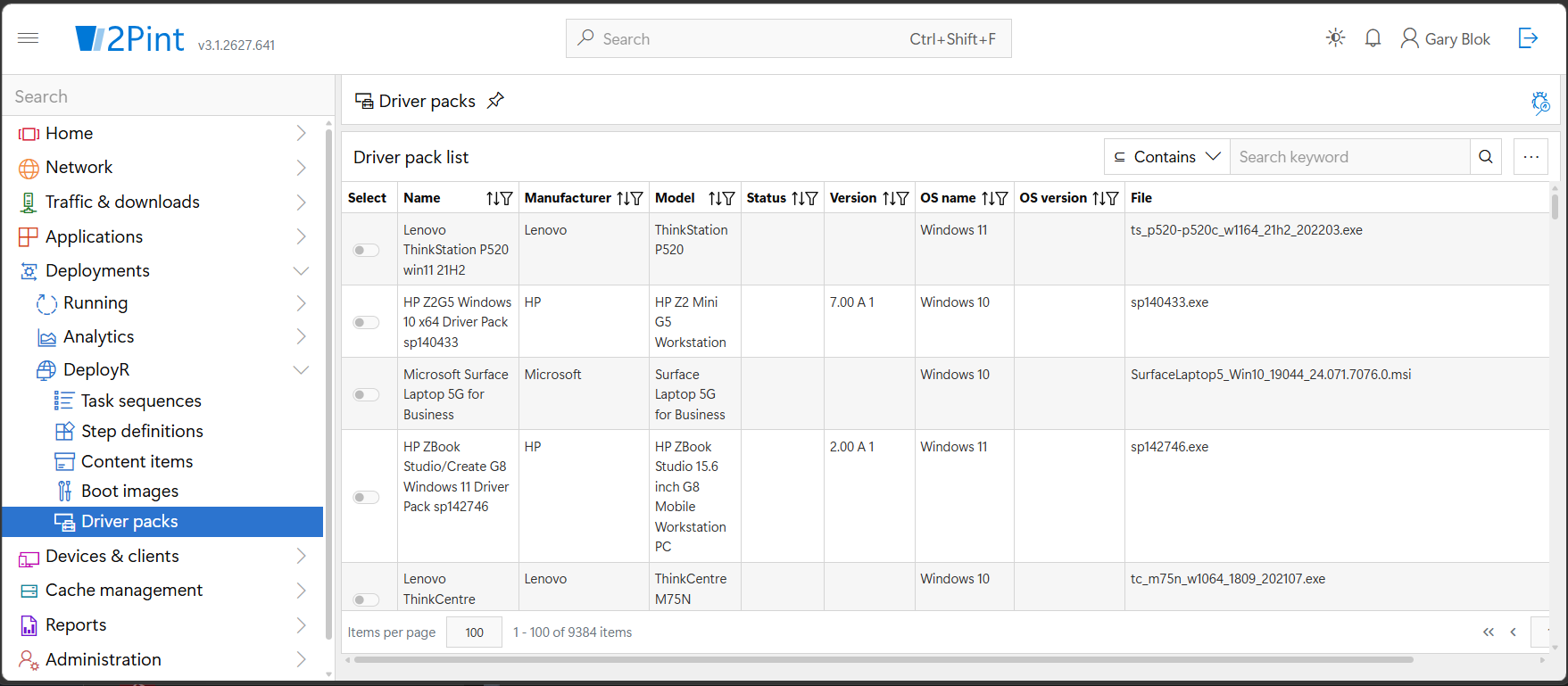
You can find this node under **DeployR** in the **Deployments** blade.
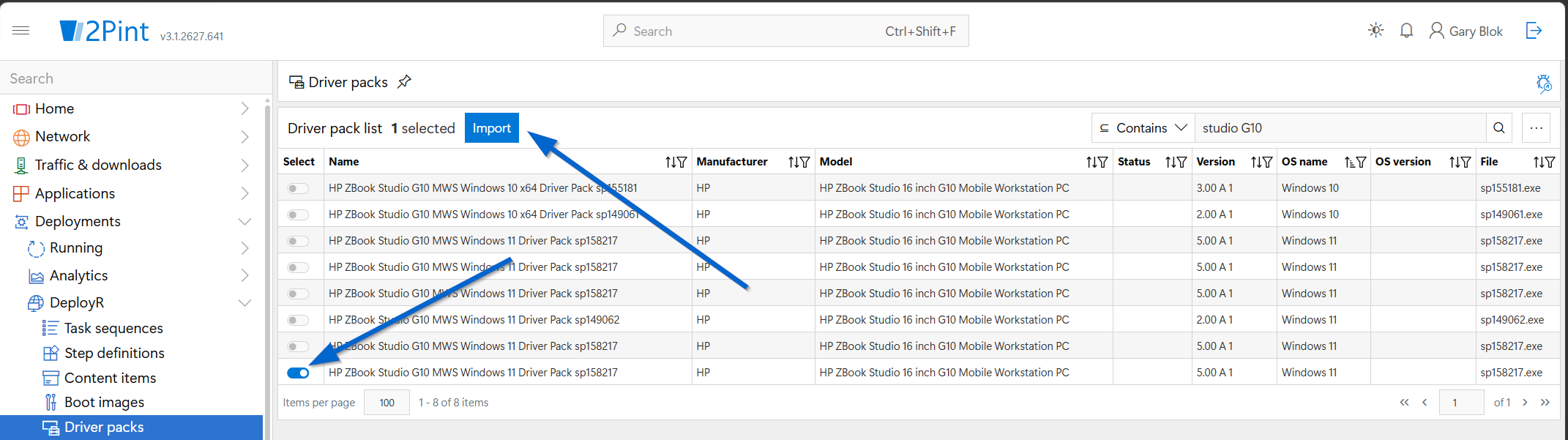
To use this feature, search for the device that needs drivers, then enable the **Select** toggle. An **Import** button appears in the upper-left corner; click it to start the process.
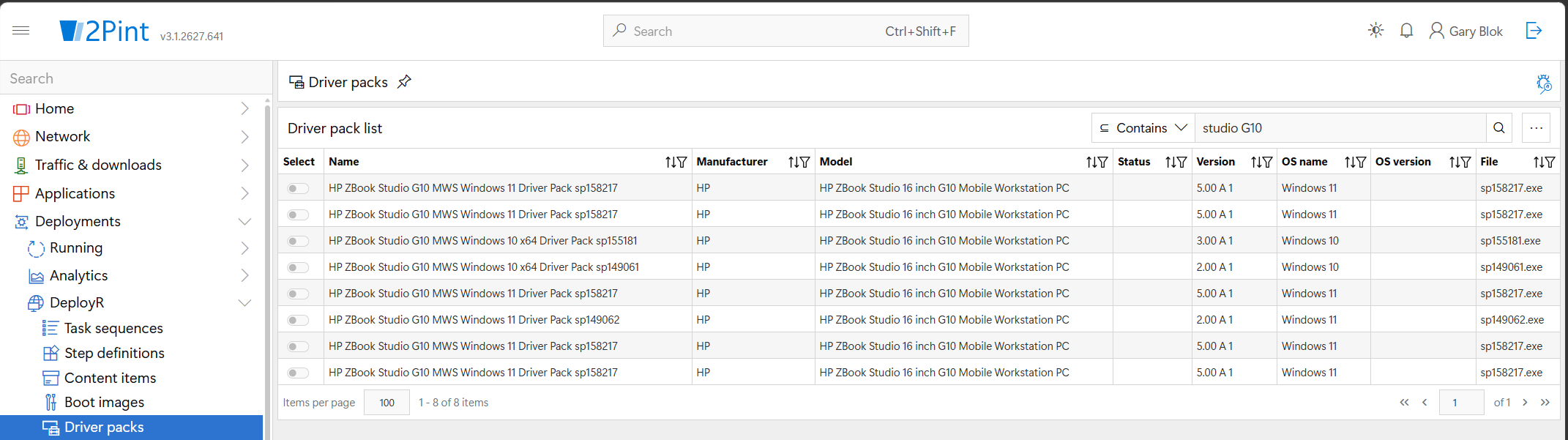
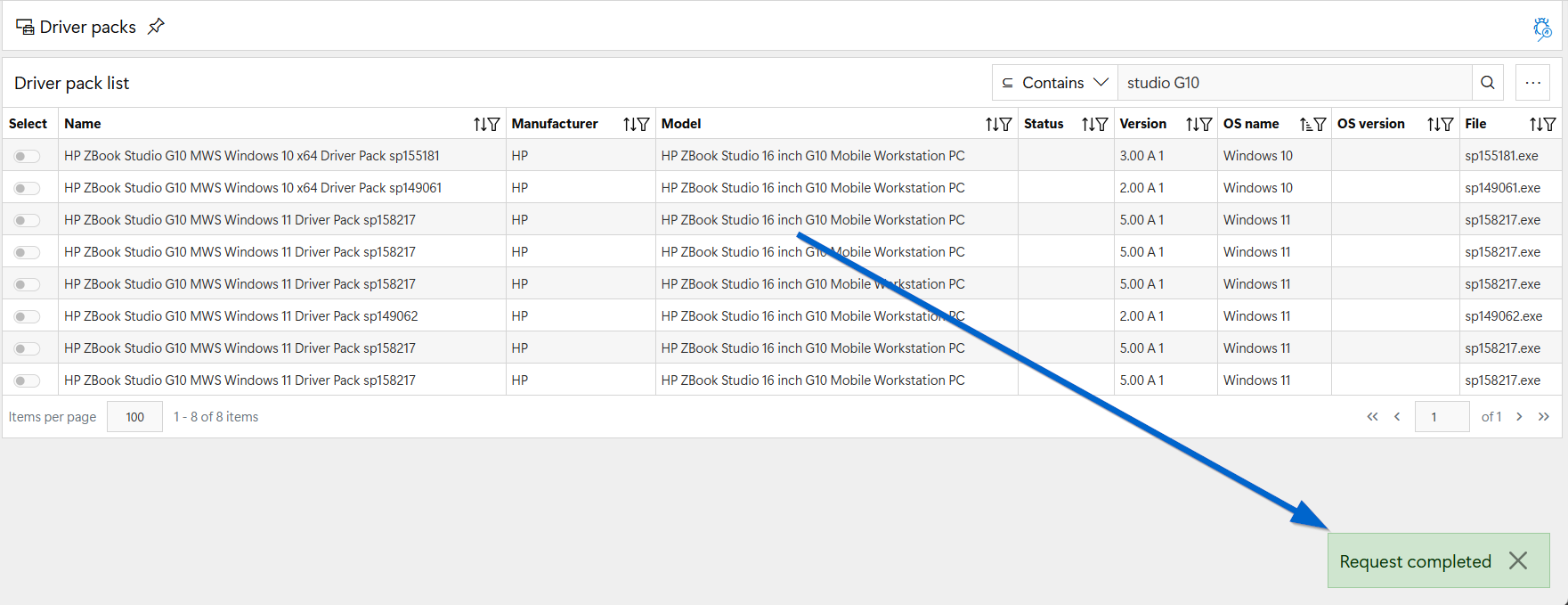
This example shows how to search for an HP ZBook Studio G10 and import the required driver pack. Searching for the keywords `Studio G10` displays a list of options:
Sorting by OS name can help you find the required pack. Note that duplicate entries may appear, particularly for HP devices with additional metadata. This issue is being investigated. For now, select one of the required packs and click **Import**:
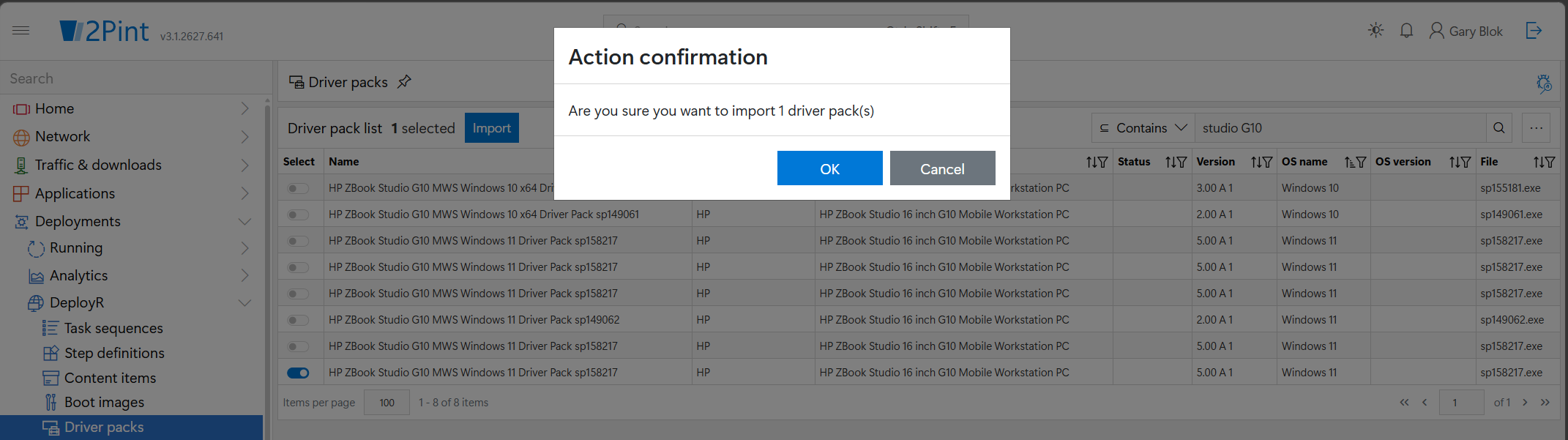
A confirmation prompt displays the number of driver packs to be imported. In this example, one pack will be imported:
After you click **OK**, a notification appears in the bottom-right corner.
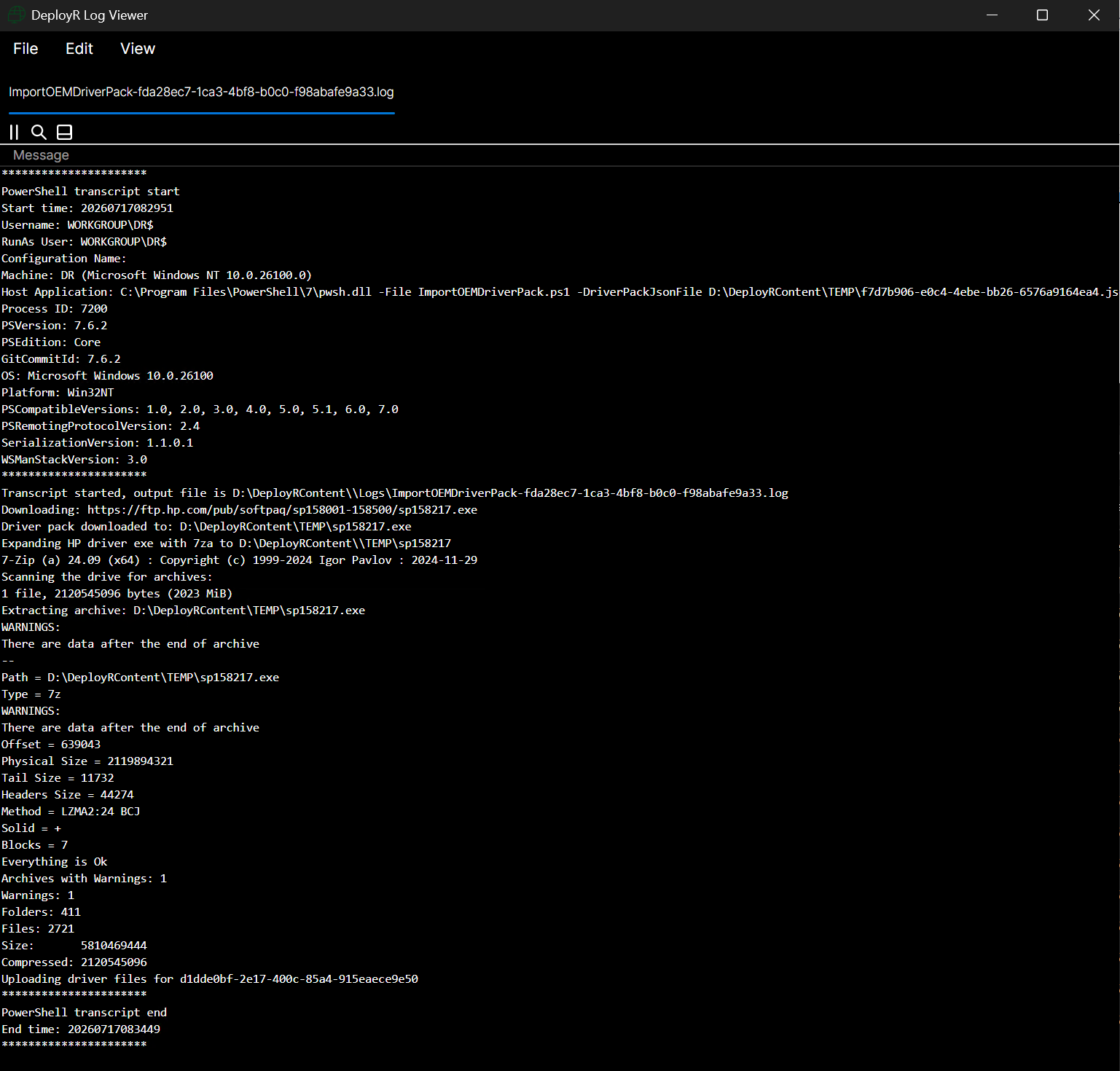
To monitor the process, logs are generated on the DeployR server in the DeployR content log folder, prefixed with the name "ImportOEMDriverPack-" and suffixed with a random GUID. The log shows the status of downloading, extracting, generating the content item, and uploading it into DeployR:
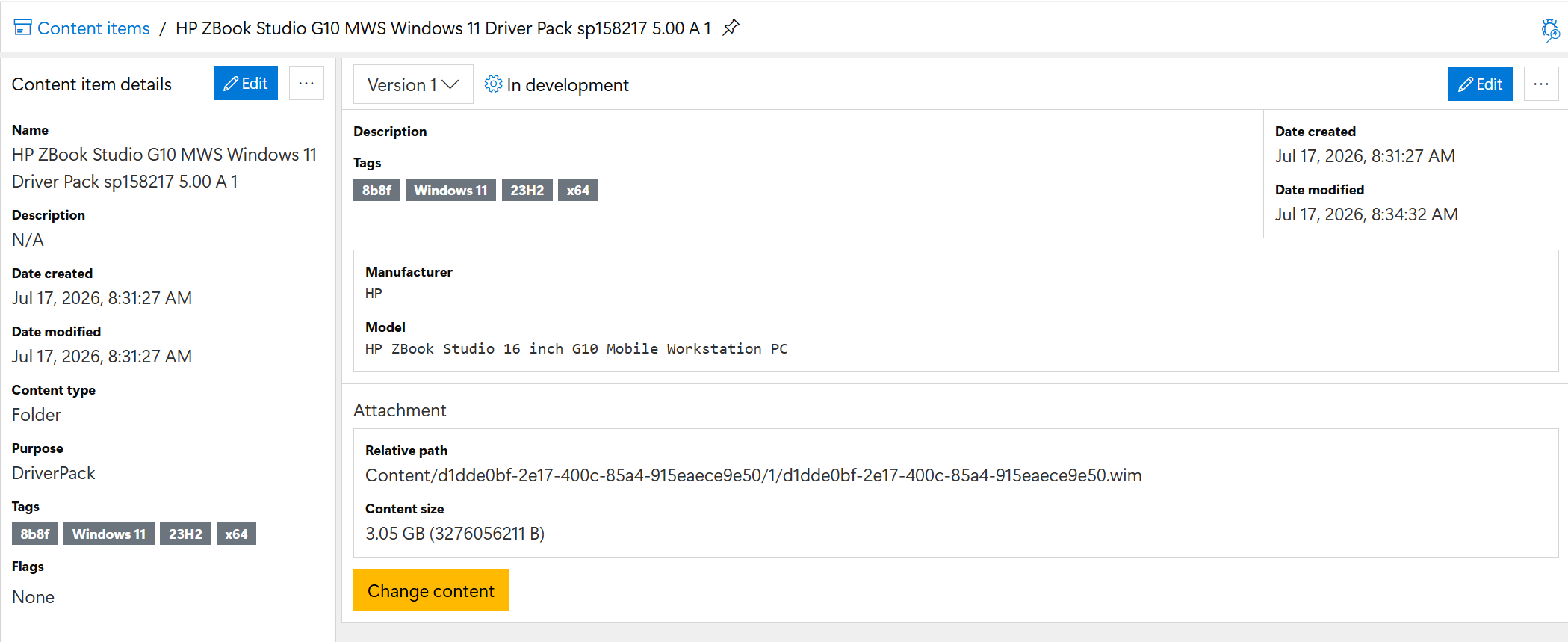
It will now show in the Content items area:
### Updates to Driver Pack Catalog
Processes scan the OEM sites for changes several times a day. When new driver packs are released, the catalog is updated to include them.
---
# Agent Instructions
This documentation is published with GitBook. GitBook is the documentation platform designed so that both humans and AI agents can read, navigate, and reason over technical content effectively. Learn more at gitbook.com.
## Querying This Documentation
If you need additional information that is not directly available in this page, you can query the documentation by asking a question.
Perform an HTTP GET request on the following URL with the `ask` and `goal` query parameters:
```
GET https://documentation.2pintsoftware.com/deployr/content-management/driver-packs/driver-packs-node.md?ask=&goal=
```
`ask` is the immediate question: it should be specific, self-contained, and written in natural language.
`goal` is what the user is ultimately trying to achieve, the reason they need the answer. Sharing it helps GitBook give you a better, more relevant answer. A goal is most helpful when it describes the outcome the user wants rather than restating the question. For example, with `ask=how do I create an API token`, a goal like `automate deployments from our CI pipeline` lets GitBook tailor the answer to that use case.
The response will contain a direct answer to the question and relevant excerpts and sources from the documentation.
Use this mechanism when the answer is not explicitly present in the current page, you need clarification or additional context, or you want to retrieve related documentation sections.