> For the complete documentation index, see [llms.txt](https://documentation.2pintsoftware.com/llms.txt). Markdown versions of documentation pages are available by appending `.md` to page URLs; this page is available as [Markdown](https://documentation.2pintsoftware.com/deployr/content-management/applications.md).
# Applications
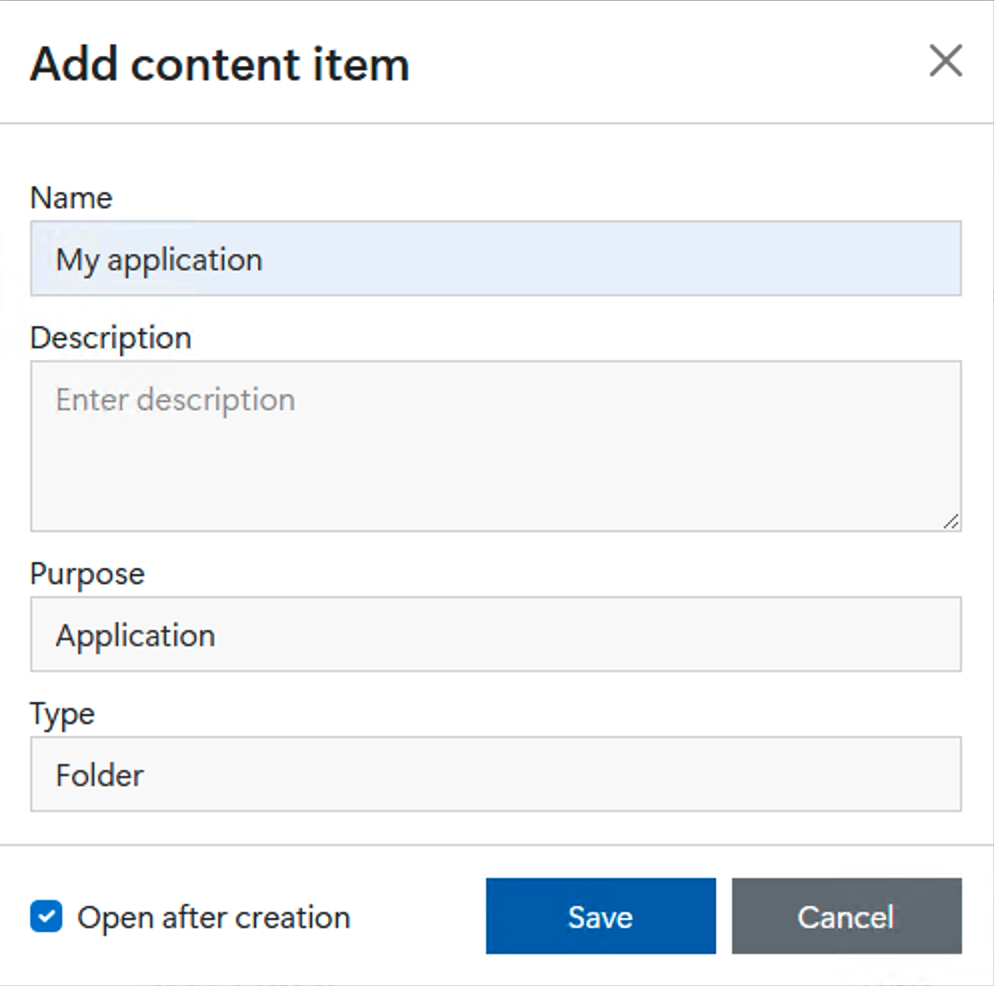
First, create a content item with **Application** as its purpose and either **Folder** or **Single File** as its type. Check the "Open after creation" checkbox for convenience.
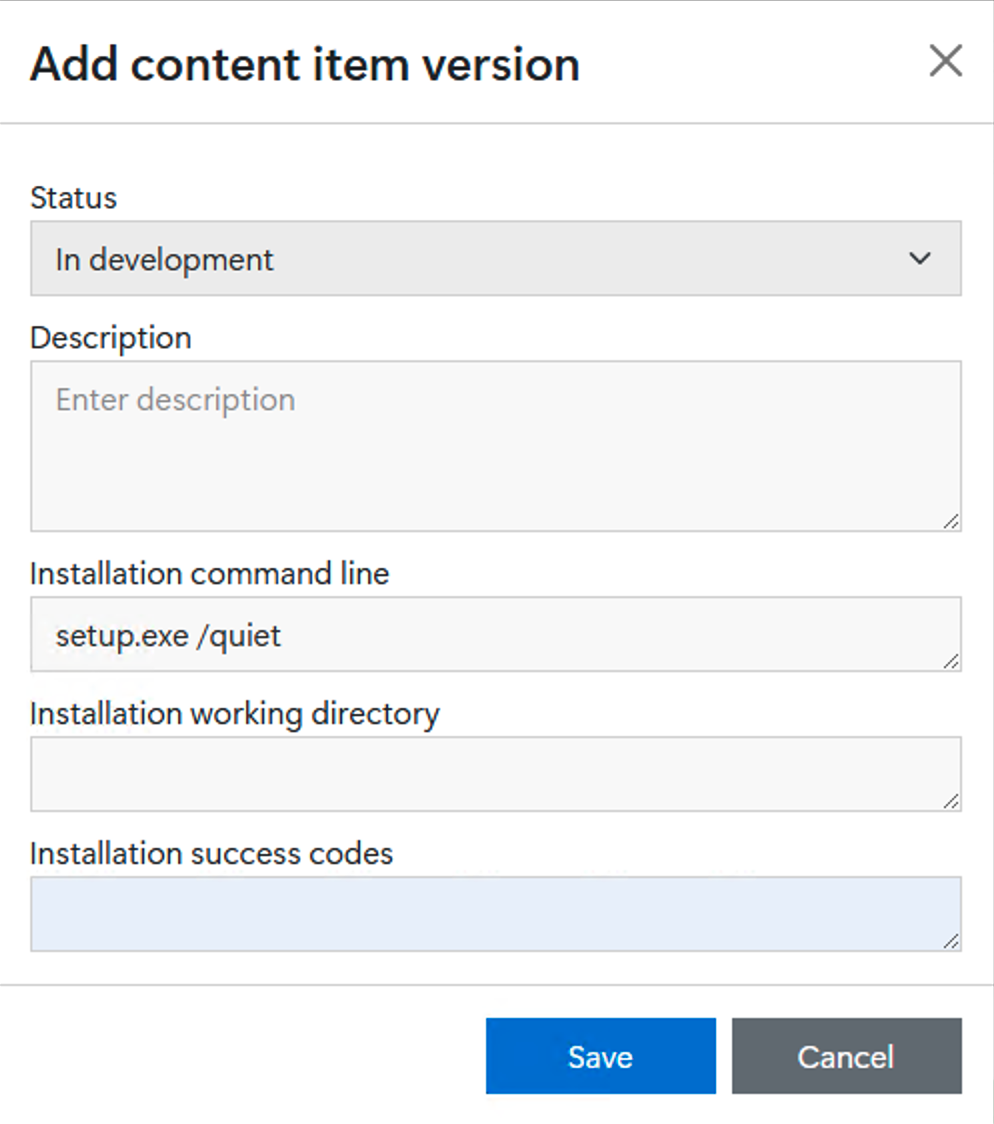
Next, click **+ New Version** to add a version to the application. Specify the installation command line and, optionally, the working directory and successful exit codes.
By default, the working directory is the folder containing the extracted content. If no success codes are specified, the default of "0 3010" will apply. (Exit code 3010 indicates that a reboot should be performed.)
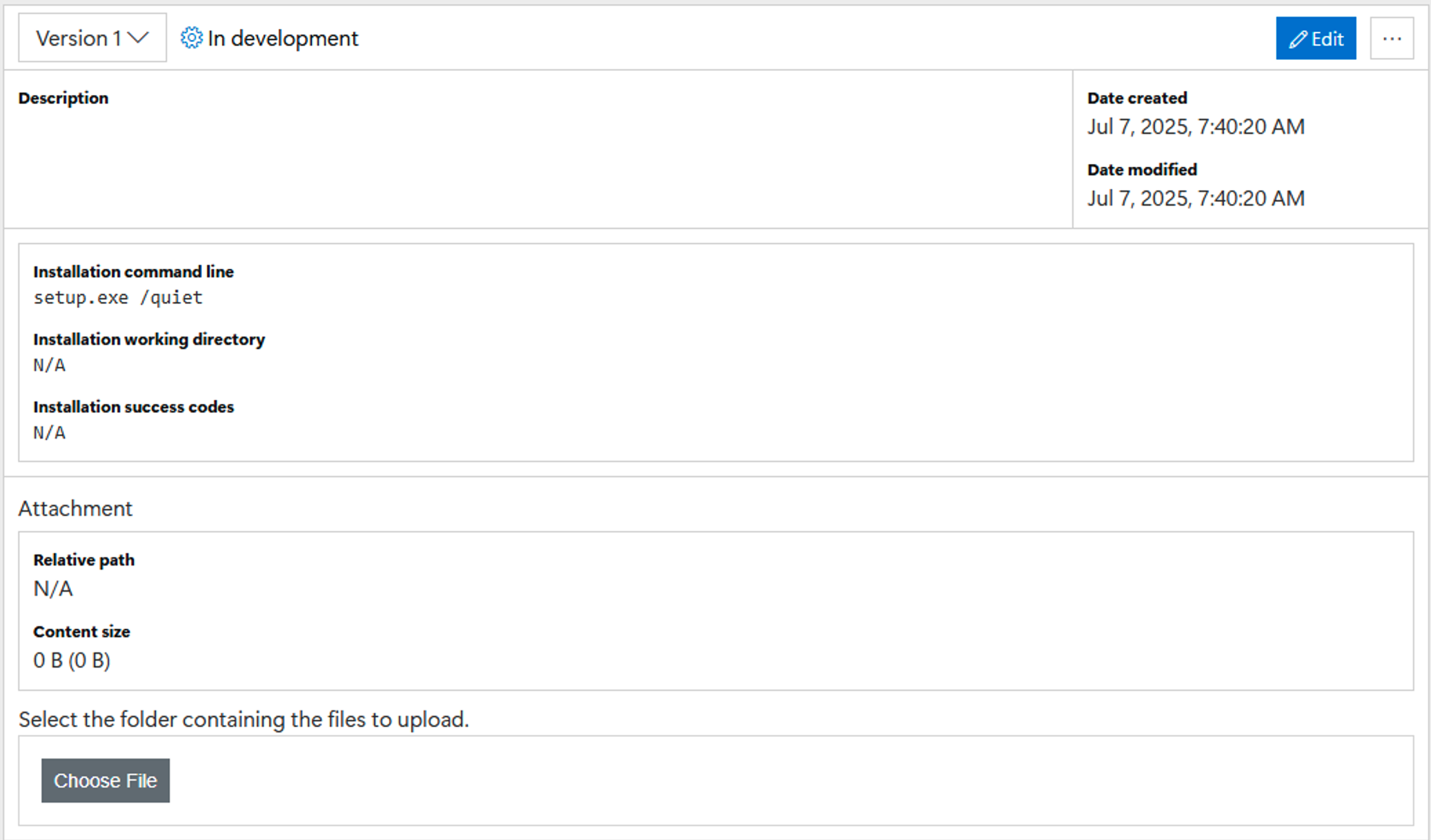
After the application version has been created, the content for the application can then be uploaded. Click the "Choose File" button and select either a file or a folder needed for the application.
Normally, you would upload a folder and its entire contents. However, there are cases where you may want to upload a single file:
* MSI installers where no other files (e.g. transforms) are required.
* Intune app packages (.intunewin files) which can be automatically extracted by DeployR before installation.
### PowerShell wrappers
For applications installed using a PowerShell script, set the installation command line to:
```
pwsh.exe -file .\PowerShellScript.ps1
```
Make sure the PowerShell script is located in the root of the source of the content you uploaded to create this Application Content Item.
---
# Agent Instructions
This documentation is published with GitBook. GitBook is the documentation platform designed so that both humans and AI agents can read, navigate, and reason over technical content effectively. Learn more at gitbook.com.
## Querying This Documentation
If you need additional information that is not directly available in this page, you can query the documentation by asking a question.
Perform an HTTP GET request on the following URL with the `ask` and `goal` query parameters:
```
GET https://documentation.2pintsoftware.com/deployr/content-management/applications.md?ask=&goal=
```
`ask` is the immediate question: it should be specific, self-contained, and written in natural language.
`goal` is what the user is ultimately trying to achieve, the reason they need the answer. Sharing it helps GitBook give you a better, more relevant answer. A goal is most helpful when it describes the outcome the user wants rather than restating the question. For example, with `ask=how do I create an API token`, a goal like `automate deployments from our CI pipeline` lets GitBook tailor the answer to that use case.
The response will contain a direct answer to the question and relevant excerpts and sources from the documentation.
Use this mechanism when the answer is not explicitly present in the current page, you need clarification or additional context, or you want to retrieve related documentation sections.