> For the complete documentation index, see [llms.txt](https://documentation.2pintsoftware.com/llms.txt). Markdown versions of documentation pages are available by appending `.md` to page URLs; this page is available as [Markdown](https://documentation.2pintsoftware.com/deployr/automation-and-powershell/scripting-for-deployr-server/content-items-metadata.md).
# Content Items - Metadata
DeployR stores content items in separate locations. Metadata is stored in the database, while file content (such as WIM files) is stored in the DeployR content folder. The sections below take a closer look at the metadata.
```
Get-DeployRContentItem
```
### Metadata Properties
* **id**: Unique DeployR ID (GUID) created when the item is created.
* Built-in items typically have pre-assigned IDs that start with 00000000
* **name**: The friendly name displayed for the item in the console
* **description**: Optional field for additional information
* **contentItemType**: a property to let DeployR know how to handle the content
* **URL**: a link to a single file that is stored on a web server
* **File**: uploading of a single file, typically used with Operating Systems (.wim file)
* **Folder**: uploading an entire folder of content, this is probably the most common use case
* **contentItemPurpose**: A property that tells DeployR how to categorize the content and filter it in other areas of the product
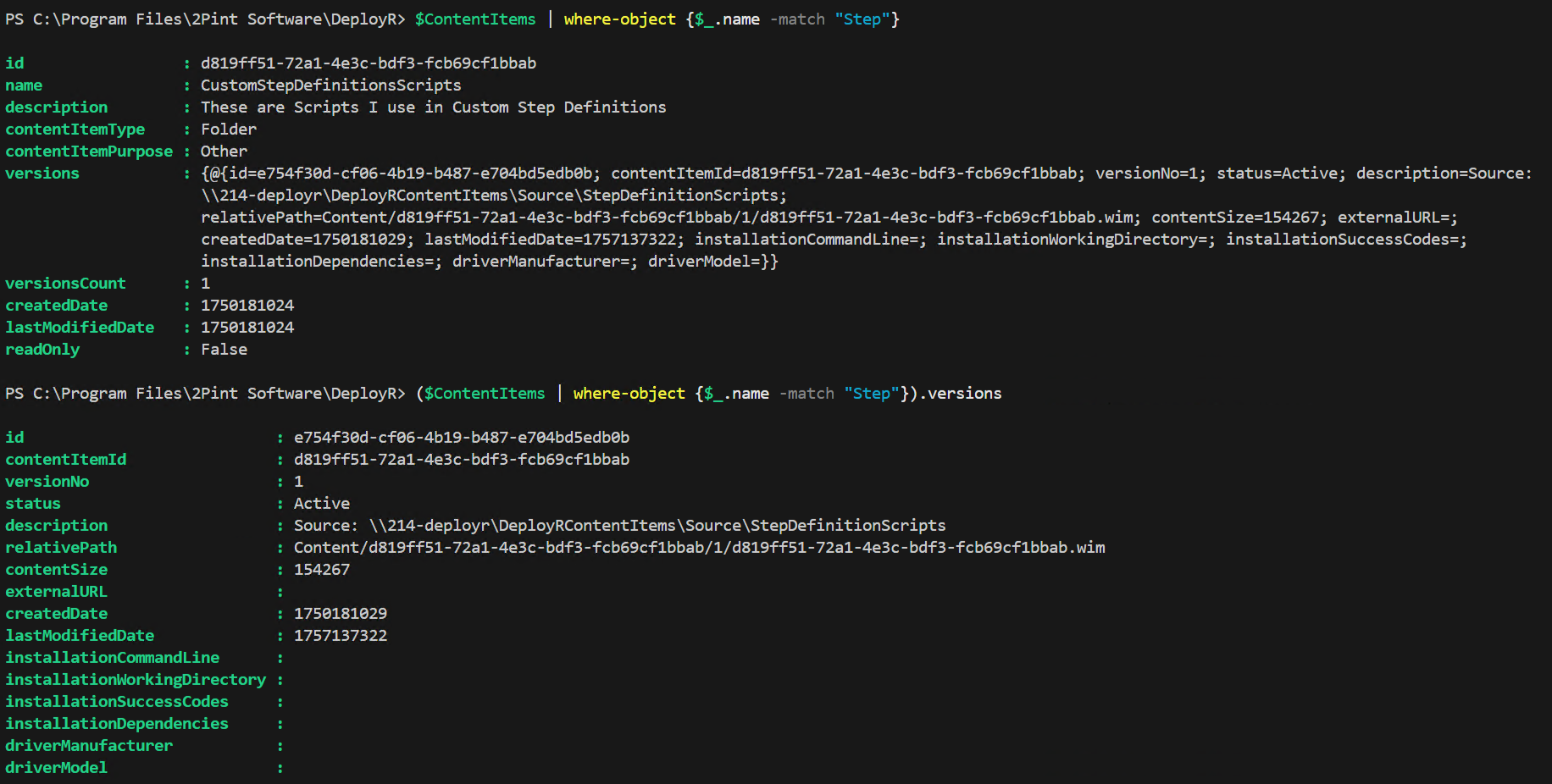
* **versions**: this is a JSON blob that contains additional details about the individual version, of which there can be many per item. This will look different depending on the purpose of the item. See the detailed areas to dig in more.
* **versionCount**: the count of versions associated with an item
* **createdDate**: The date the item was originally created in DeployR
* **lastModifiedDate**: the date the item was last modified by a user or process
* **readOnly**: \[True / False] lets you know if you can modify the item. Built-in items are set to True.
**Versions Deeper Dive**. This metadata is consistent among different content item purposes, however not all items are used, it depends on the purpose.
* **id**: a unique GUID created for each version
* **contentItemID**: the GUID id of the parent content item.
* **versionNo**: the version count in the content item
* **status**: the current status of that version (In Development, Active, Deprecated)
* **description**: an optional property that you can provide additional information
* **relativePath**: where the content WIM file resides in your DeployR Content folder
* **contentSize**: size of the compressed WIM file on your server
* **externalURL**: used when you choose "URL" from the type
* **createdDate**: date the version was created
* **lastModifiedDate**: date of the last modification to the version
* **installationCommandLine**: command used to trigger the installation of the app content
* **installationWorkingDirectory**: typically left blank, but if you need to change the path, you can
* **installationSuccessCode**: 0 (success) and 3010 (reboot required) are the standard ones you can add, but based on your application, you might have others.
* **installationDependancies**: currently not used, a placeholder for future enhancements
* **driverManufacturer**: used in driver packs to specify the manufacturer (MakeAlias)
* used in the automatching step of "Inject Drivers"
* **driverModel**: used in driver packs to specify the model (ModelAlias)
* used in the automatching step of "Inject Drivers"
### Applications
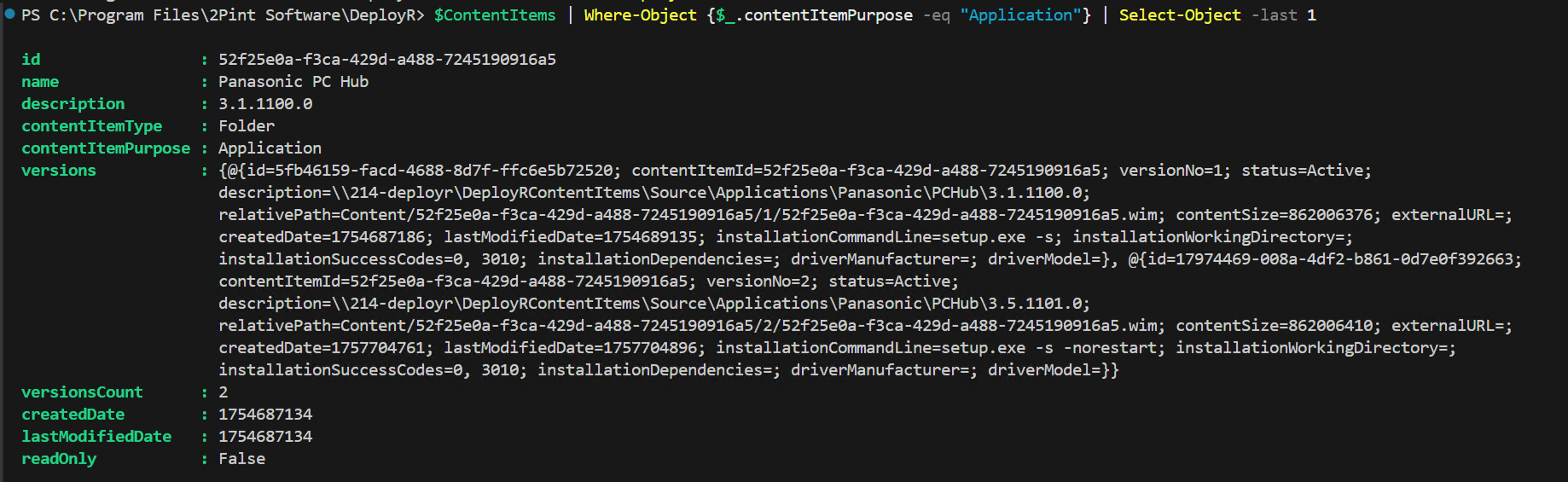
Standard metadata of an Application Content Item, one that has 2 versions embedded.
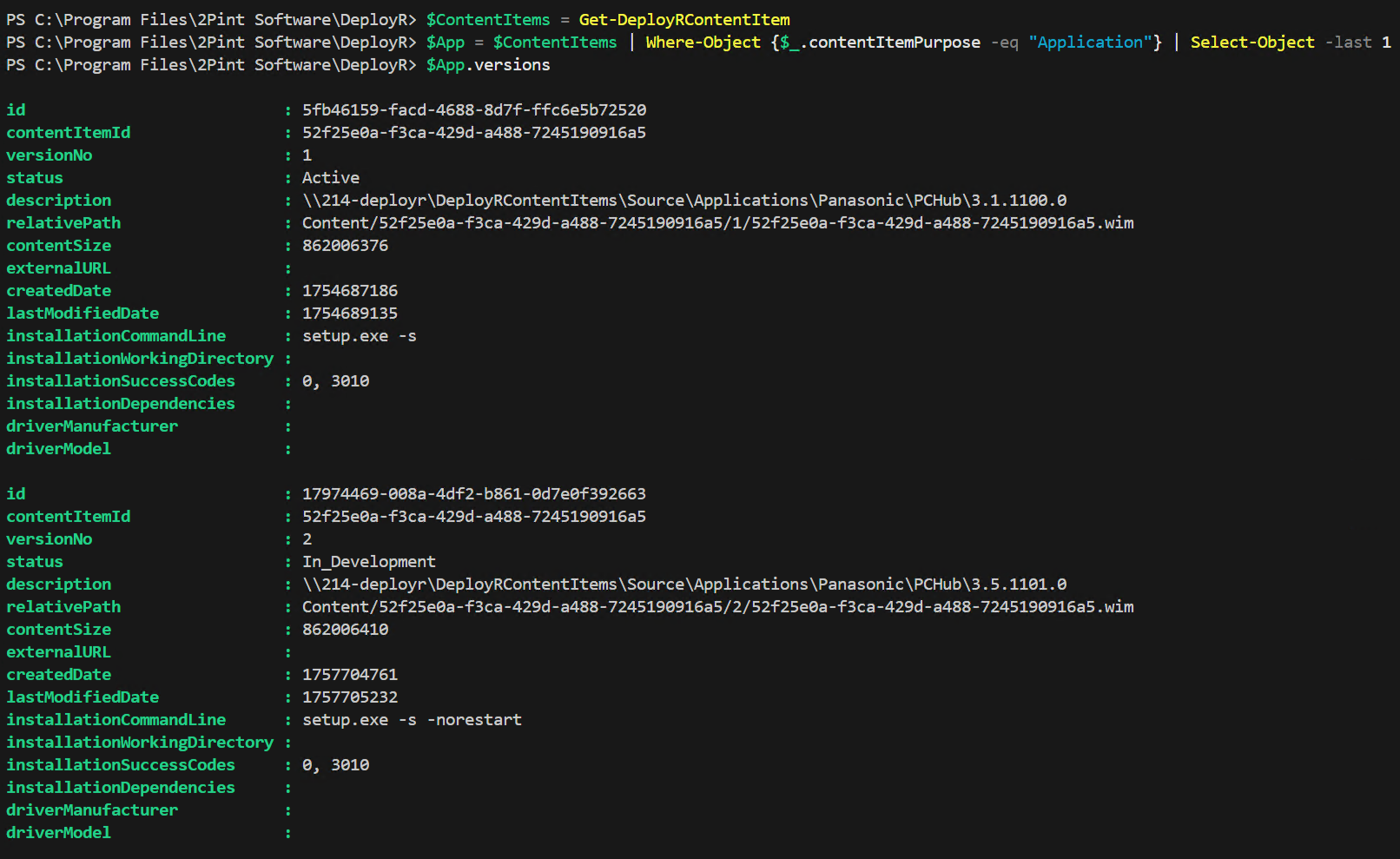
versions metadata:
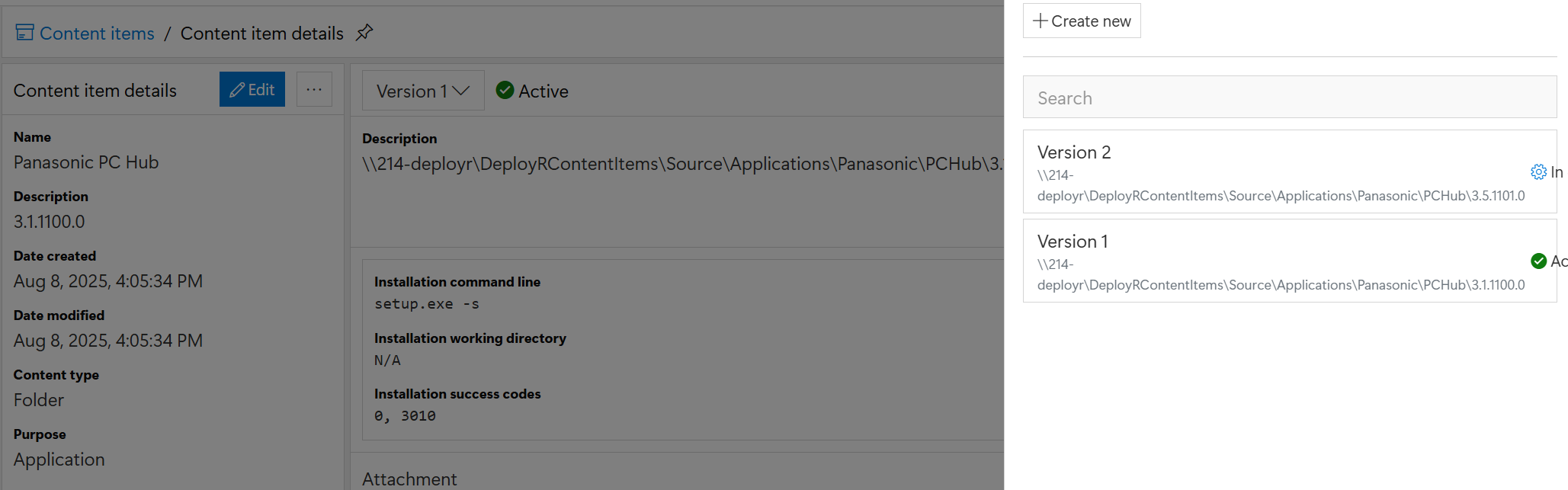
Here you can see there are two versions inside the single content item. Only one version is required per content item, but in this example, a second was added when an updated release of the app came out. This is one potential way to manage versioning of applications in DeployR.
### Operating Systems
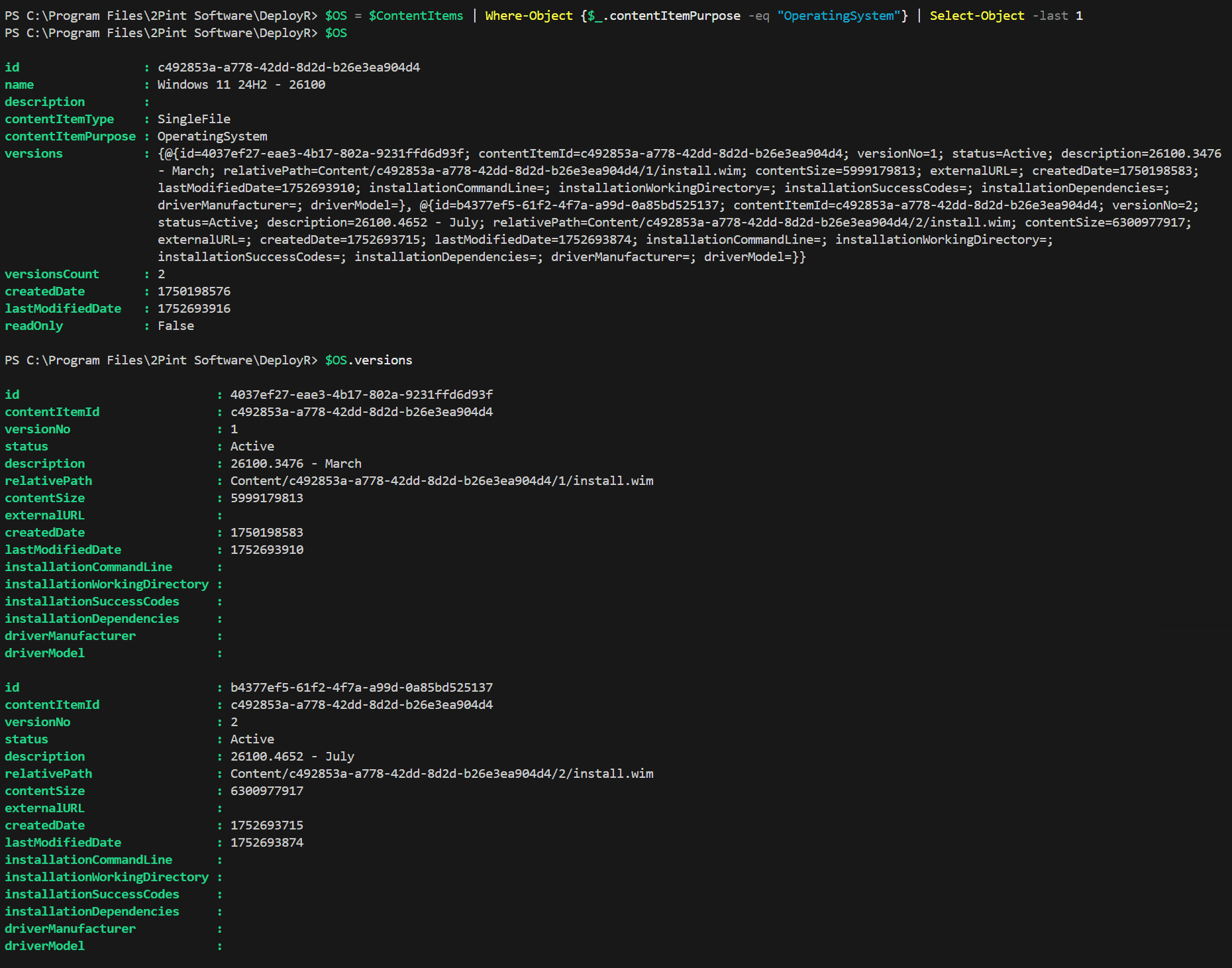
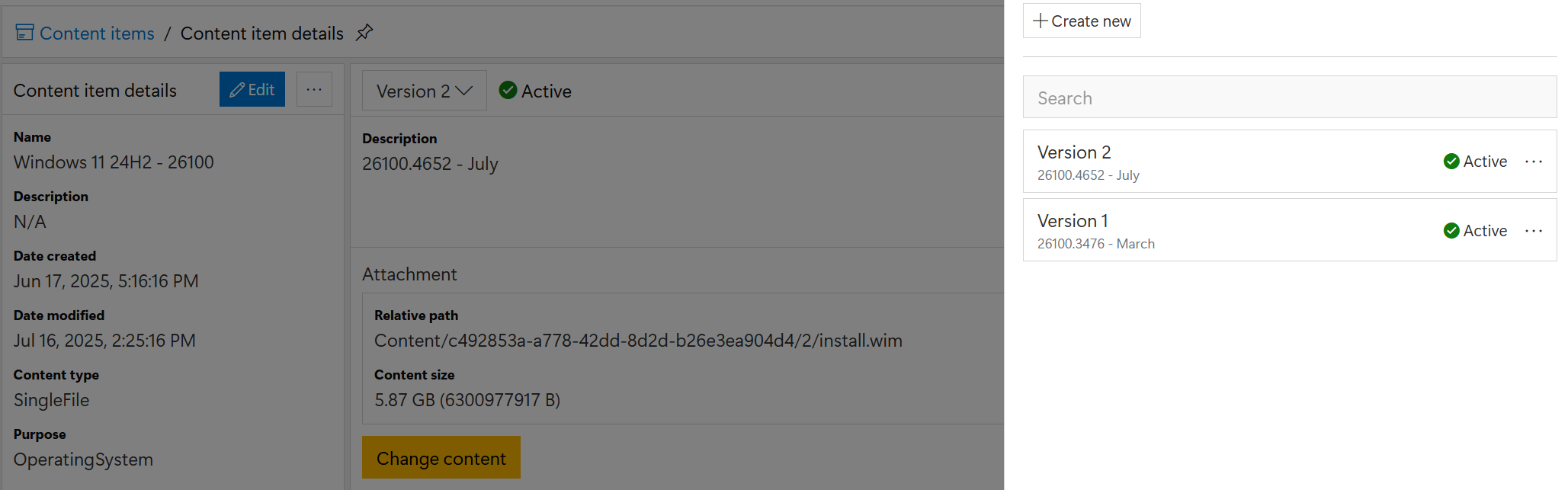
Operating System Content Items are for you to keep your operating systems. :-) I will only be covering Windows here, but in the future, I will circle back for Linux.
Below is the output of an Operating System Content Item. It has two versions, one with the Windows 11 24H2 March WIM (26100.3476), and one with the July WIM (26100.4652)
### Driver Packs
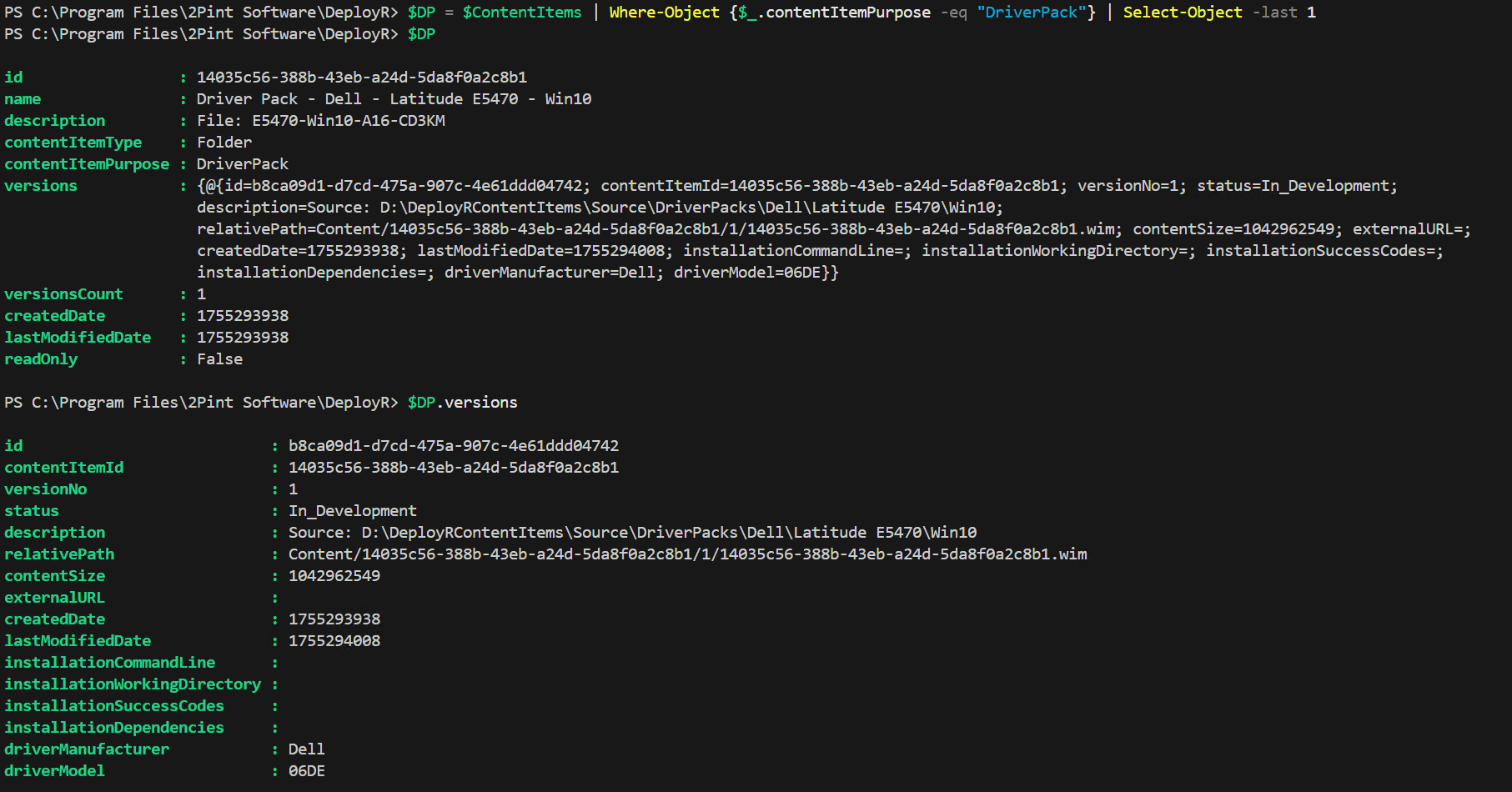
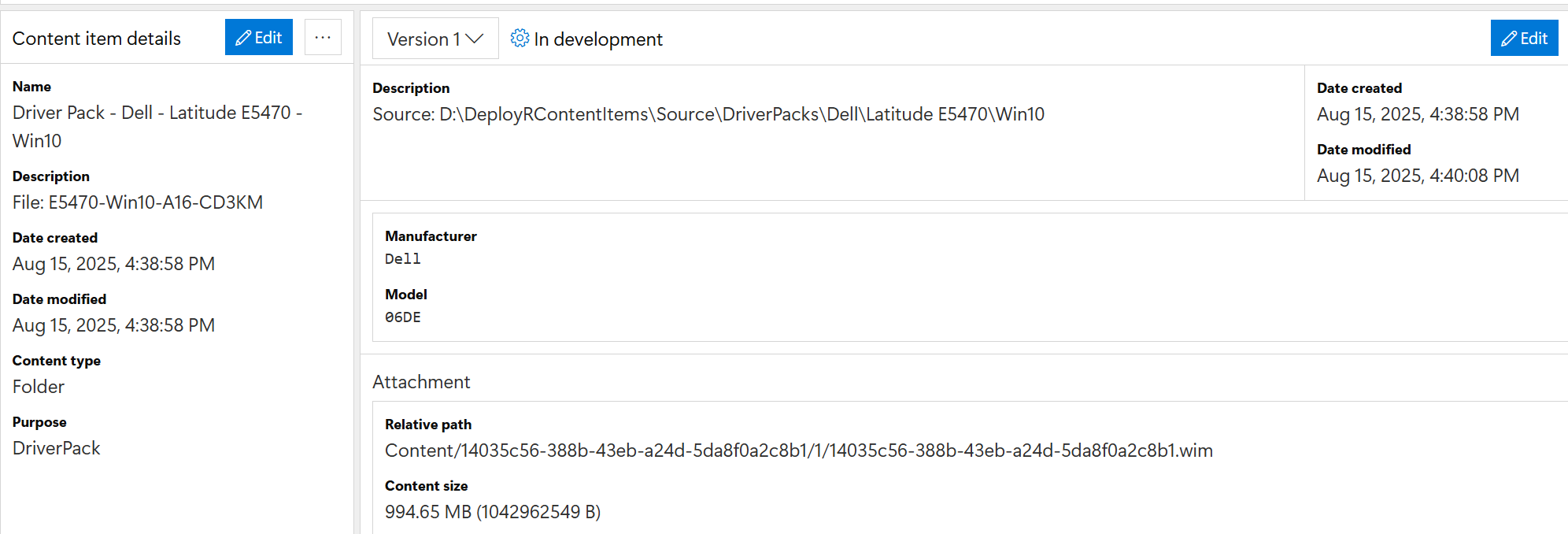
A driver pack is your extracted drivers uploaded into a single WIM. In this example, in the versions area, you will see the driverManufacturer and driverModel are both set, which allows the automatic matching feature to work. The task sequence will read in all of the driver packs, then match on those two properties.
### Other
This is like a bucket for you to keep other things in. Common uses:
* Scripts
* Certificates
* Task Sequence Support Tools
* other things that do not fit into "Application, Operating System, or Driver Pack" items.
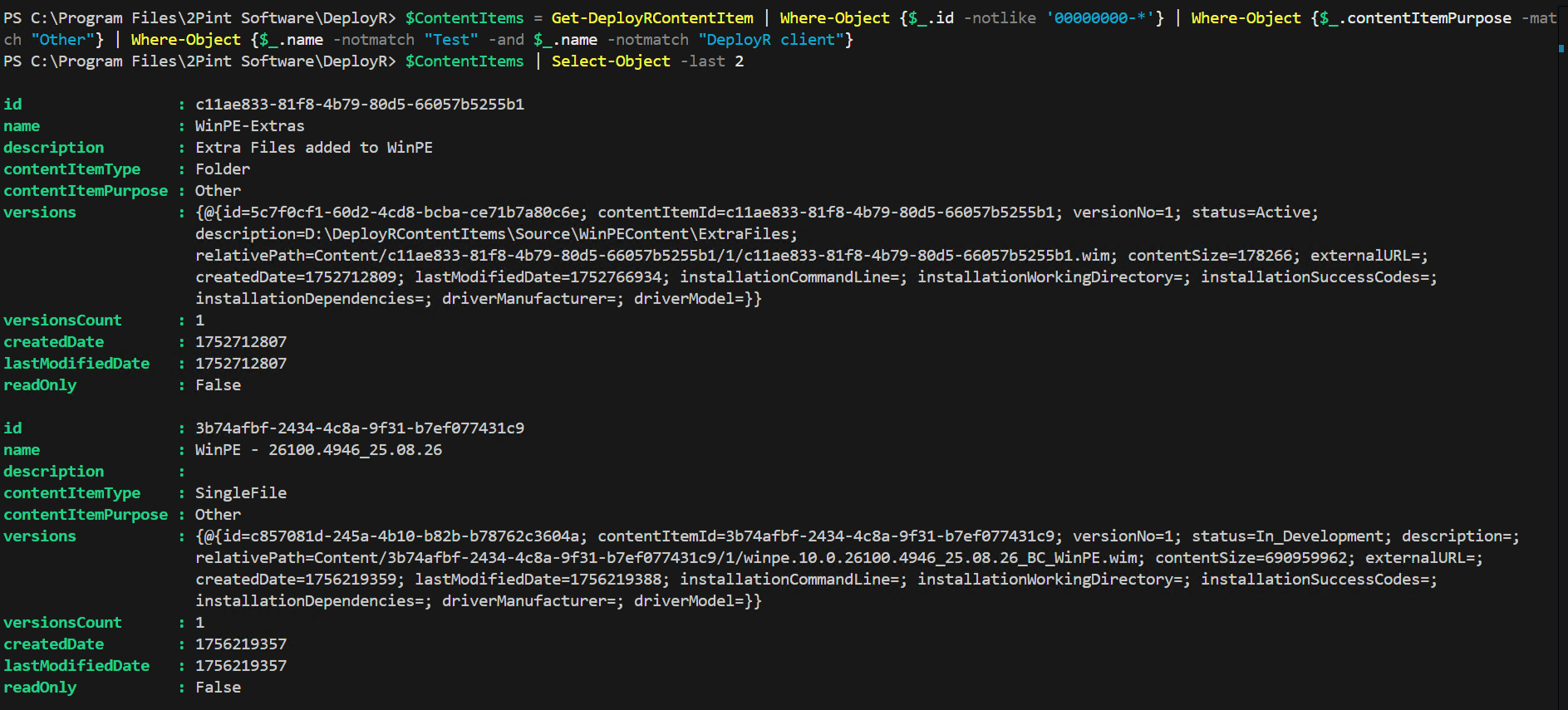
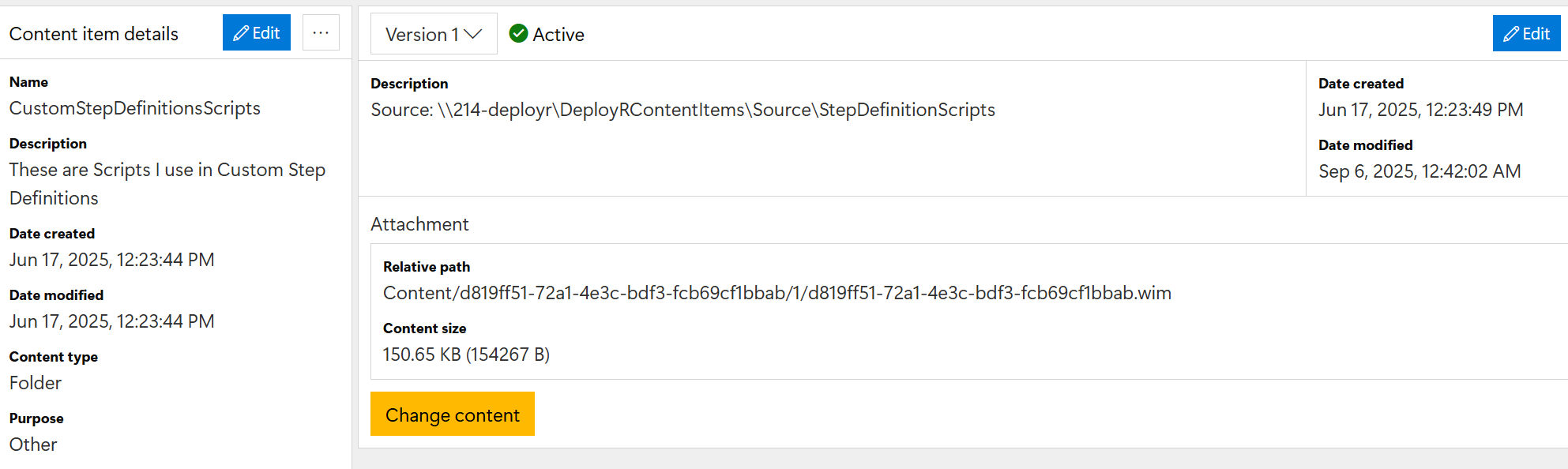
Here are two examples, one of a Folder item which contains several files that are used to inject into WinPE named "WinPE-Extras", and one that is a single file containing a boot image used for some testing. Below is another example: a content item in which I have placed many PowerShell scripts that are leveraged in custom step definitions. While all of the metadata options are available, many are not used in "other" content items:
---
# Agent Instructions
This documentation is published with GitBook. GitBook is the documentation platform designed so that both humans and AI agents can read, navigate, and reason over technical content effectively. Learn more at gitbook.com.
## Querying This Documentation
If you need additional information that is not directly available in this page, you can query the documentation by asking a question.
Perform an HTTP GET request on the following URL with the `ask` and `goal` query parameters:
```
GET https://documentation.2pintsoftware.com/deployr/automation-and-powershell/scripting-for-deployr-server/content-items-metadata.md?ask=&goal=
```
`ask` is the immediate question: it should be specific, self-contained, and written in natural language.
`goal` is what the user is ultimately trying to achieve, the reason they need the answer. Sharing it helps GitBook give you a better, more relevant answer. A goal is most helpful when it describes the outcome the user wants rather than restating the question. For example, with `ask=how do I create an API token`, a goal like `automate deployments from our CI pipeline` lets GitBook tailor the answer to that use case.
The response will contain a direct answer to the question and relevant excerpts and sources from the documentation.
Use this mechanism when the answer is not explicitly present in the current page, you need clarification or additional context, or you want to retrieve related documentation sections.